


Create Your Own AI Girlfriend 😈
Chat with AI Luvr's today or make your own! Receive images, audio messages, and much more! 🔥
4.5 stars

AI character voices are what give digital personalities their unique sound. Using sophisticated text-to-speech and voice cloning, we can now generate emotionally rich and hyper-realistic vocal performances that truly bring characters to life, whether they're in a game, a virtual assistant, or an AI companion.
From Robotic Speech to Realistic Performances
It wasn't that long ago that computer-generated speech was painfully robotic. Think of the choppy, monotone voice of an old GPS—functional, sure, but completely devoid of personality. That mechanical sound is a distant memory compared to the nuanced ai character voices we can craft today.
The shift from robotic tones to lifelike dialogue has been nothing short of astounding. Things really started picking up steam after 2016 with the arrival of neural network-based text-to-speech (TTS) systems. A model called WaveNet was a huge milestone, generating audio waveforms that sounded far more natural and ditching the artificial sound of older tech.
The Dawn of Believable Voices
This leap forward cracked open the door to creating characters with real vocal depth. AI voices could suddenly do more than just read text; they could convey emotion, subtlety, and personality. This is the magic behind modern ai character voices, especially for anything involving interactive entertainment or companionship.
The goal is no longer just clarity but connection. A believable voice can make a user feel heard, understood, and truly immersed in an experience, transforming a simple interaction into a memorable relationship.
Why This Evolution Matters for Creators
Knowing this backstory is important because it shows you just how powerful the tools at your disposal have become. You're no longer stuck with a few generic, synthetic-sounding options. Today's technology lets you achieve:
- Deep Emotional Range: You can literally direct a voice to whisper with sadness, shout with joy, or tremble with fear.
- Unique Vocal Identities: Develop a signature voice for a character that’s instantly recognizable.
- Dynamic Conversations: Build experiences where the AI’s tone shifts realistically based on what the user says.
This level of control is fundamental to creating compelling experiences, especially on platforms built around immersive dialogue. If you're building your own characters, playing around with an AI character chat is a great way to see firsthand how far this technology has come. The tools for creating a truly convincing digital persona are right there, ready for you to bring your vision to life.
Choosing Your Voice Creation Method
So, you’ve decided to give your character a voice. You’re standing at a critical fork in the road, and the path you choose from here will define not just your character’s sound but your entire production workflow. This isn’t just a technical decision—it’s a creative one.
You’re weighing speed against specificity, a massive library of off-the-shelf options against a completely one-of-a-kind sound. Essentially, your choice boils down to two distinct paths for creating ai character voices: using a pre-built Text-to-Speech (TTS) library or diving into the more bespoke process of custom voice cloning.
The Plug-and-Play World of Pre-built TTS
Think of pre-built TTS services as a massive casting agency for AI actors. You get access to a huge collection of ready-to-go voices, letting you browse through hundreds of options—different genders, ages, accents, and tones—to find a good match for your character.
This approach is unbelievably fast. If you’re a game developer needing to voice dozens of non-player characters (NPCs), you can assign unique voices in minutes without the soul-crushing overhead of recording and cloning each one. For any project where variety and speed are the name of the game, a TTS library is a lifesaver.
But that convenience comes with a catch. While the libraries are vast, these voices aren’t exclusive. Another creator, maybe even a competitor, could be using the exact same voice, which can dilute your character's unique identity. You also give up some of that granular control over the subtle emotional tells that make a voice truly memorable.
Crafting a Signature Sound with Voice Cloning
Custom voice cloning is the artisan's route. You aren’t just picking a voice; you’re creating one from the ground up. By providing a clean audio sample from a real person—with their full and explicit consent, of course—you can generate an AI voice that is completely unique and proprietary to you. Honestly, modern platforms can get a pretty solid clone from just a few minutes of good audio.
This is the only way to go when a singular, unforgettable personality is the entire point. Think about the AI companion in the movie Her—that voice is the character. For anyone building deep, personal experiences, like the AI companions on platforms such as Luvr AI, a custom-cloned voice delivers an unmatched level of intimacy and brand identity. Nobody else will have your character’s sound.
The decision really boils down to this: Is your character just one voice in a crowd, or are they the main event? Your answer will point you straight to the right tool for the job.
This flowchart is a great starting point for that thought process, helping you decide whether your character needs a more robotic or a distinctly human feel right from the get-go.
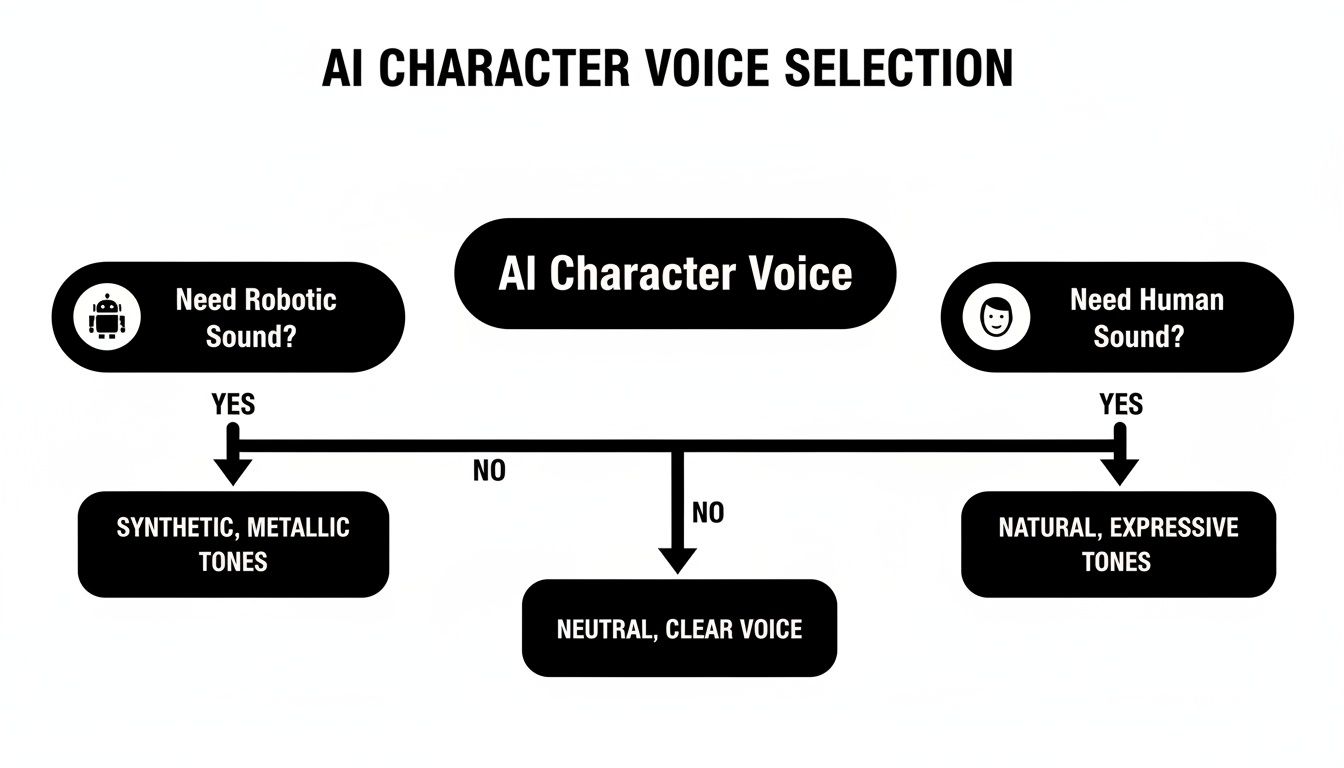
As you can see, figuring out if you need a human-like or a more synthetic sound is the first, and most important, fork in the road when designing your character's voice.
TTS vs Voice Cloning: Which Is Right for Your Project?
Making the right call means weighing a few key factors. Your timeline, budget, and the level of uniqueness you're aiming for all play a huge part in whether a pre-built library or custom cloning makes more sense for you.
Here’s a head-to-head comparison to help you decide.
| Factor | Pre-built TTS Voices | Custom Voice Cloning |
|---|---|---|
| Uniqueness | Low; voices are shared across many users. | High; the voice is exclusive to your project. |
| Speed & Setup | Blazing fast; you can implement a voice in minutes. | Slower; requires audio recording, processing, and model training. |
| Cost | Generally lower, often a subscription or pay-per-use model. | Higher upfront cost, but can be cheaper at massive scale. |
| Emotional Control | Good, but limited to the model's pre-trained capabilities. | Excellent; trained on specific vocal nuances for deeper emotional range. |
| Best For | Background characters, rapid prototyping, large-scale NPC dialogue. | Main characters, brand mascots, unique AI companions, personalized experiences. |
In the end, there's no single "best" method here. The right approach is simply the one that clicks with your project's scope, budget, and creative vision. By thinking through these trade-offs, you can confidently choose the path that will bring your ai character voices to life in a way that truly connects with your audience.
Getting Your Audio Ready for a Flawless Voice Clone
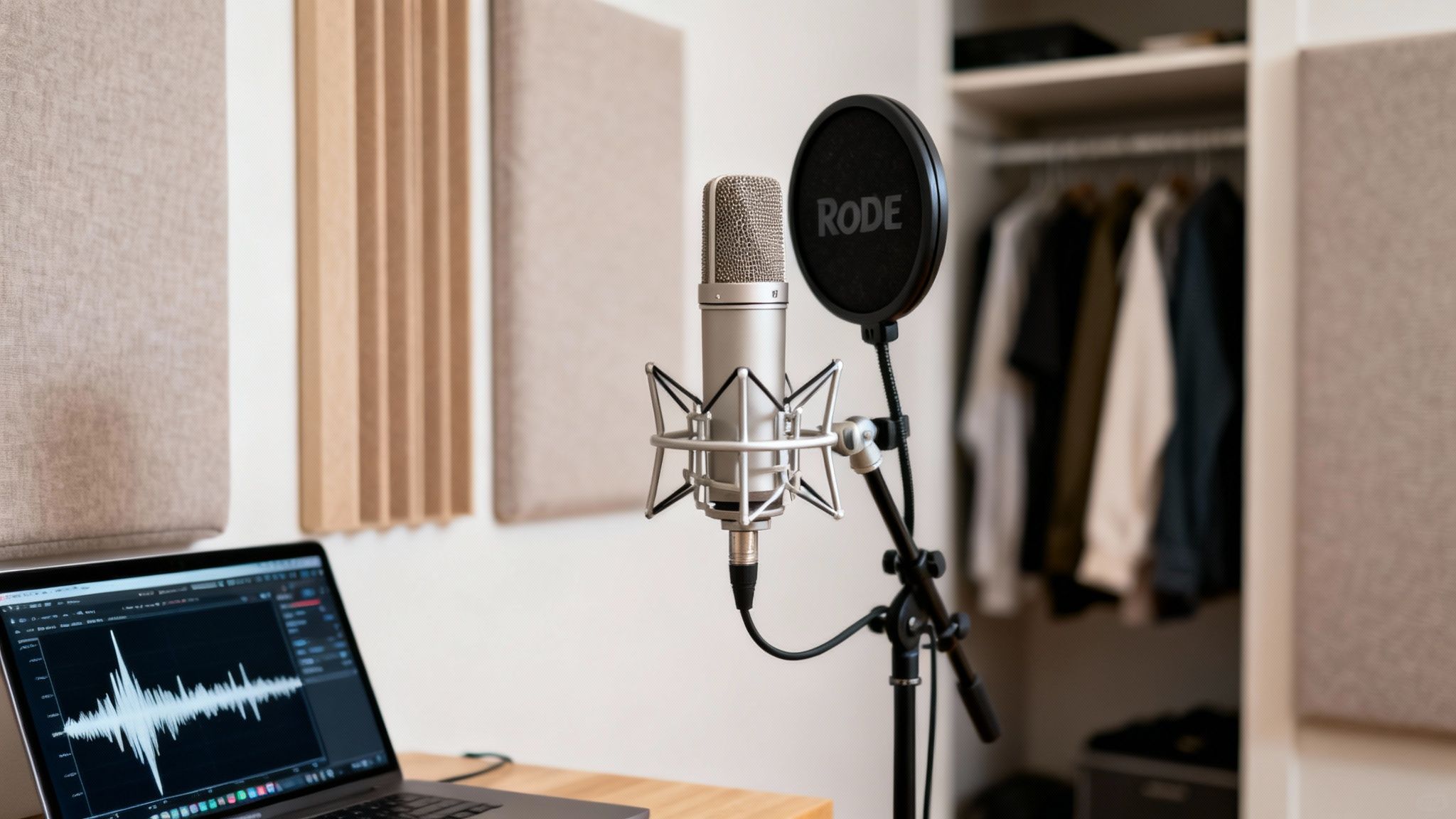
Here’s the unfiltered truth about creating incredible ai character voices: the magic isn't in some mysterious algorithm. It's in the audio you feed it. If you give the machine a noisy, inconsistent recording, you'll get a flat, robotic voice in return. It’s the oldest rule in the book: garbage in, garbage out.
To build a voice that feels truly alive, you need to think like a sound engineer, even if you’re just working from a spare room. Your mission is to capture the purest, most authentic version of the voice you want to clone. This prep work is where you lay the groundwork for a character that people will actually connect with.
Taming Your Recording Space
Before you even think about a microphone, you have to deal with your biggest enemy: the room itself. Hard surfaces—walls, desks, windows—are acoustic mirrors. They bounce sound all over the place, creating the echo and reverb that will absolutely kill your recording. The AI can’t easily separate the voice from the room’s ambient noise, which results in a clone that sounds distant and hollow.
The good news? You don’t need a professional studio. A walk-in closet filled with clothes is an amazing makeshift vocal booth because all that fabric just soaks up the sound. No closet? No problem. Just start bringing soft things into your space. Blankets, pillows, even a mattress propped against a wall can make a massive difference. The goal is to deaden the room so the mic only hears the voice.
Pro Tip: Try the clap test. Stand in your room and clap your hands sharply. If you hear a ringing, metallic echo, your room is too "live." You're aiming for more of a dull, short thud.
Once your space is prepped, it's time to talk gear. Your laptop's built-in mic might be convenient, but it’s not going to cut it for this kind of work.
- Condenser Mics: There's a reason these are the go-to for studio vocals. A mic like the Rode NT1 or an Audio-Technica AT2020 is brilliant at capturing the subtle details and unique texture of a human voice. That fine detail is exactly what the AI needs to learn.
- Dynamic Mics: These are often used for live shows, but they can be a smart choice if your room isn't perfectly quiet. They’re less sensitive, so they do a better job of ignoring background noise.
Whatever mic you land on, please use a pop filter. It’s a simple mesh screen that sits between you and the mic, and it stops the harsh burst of air from "p" and "b" sounds from distorting your audio. It’s a cheap piece of gear that makes you sound expensive.
Capturing a High-Quality Performance
With your environment and equipment sorted, the recording itself demands a bit of focus. The AI model is a student, and your audio is its textbook. You need to provide a clean, consistent, and emotionally rich dataset for it to learn from.
Keep these fundamentals in mind during your session:
- Stay Consistent: Keep your mouth the same distance from the microphone for the entire recording. Getting closer or further away will alter the volume and tone, which will only confuse the model.
- Act It Out: Don't just read lines in a flat monotone. You need to capture the speaker's full emotional range. Make sure your script includes lines that convey happiness, curiosity, sadness, and excitement.
- Kill All Background Noise: This one is non-negotiable. Turn off fans, air conditioners, and your phone. Close the windows. That low-level hum from your fridge you don't even notice anymore? The microphone will, and it can sabotage your final product.
The Final Polish: Cleaning Your Audio
Even with the best prep, your raw audio will need a little cleanup. This final step is about removing any lingering imperfections to give the AI the most pristine data possible. You don't need fancy software; a free tool like Audacity has everything you need.
Focus on these three quick but critical tasks:
- Noise Reduction: Most audio editors have a noise reduction feature. You start by highlighting a few seconds of pure silence—just the "room tone"—so the software can learn the noise profile. Then, it can intelligently remove that hum from your entire recording.
- De-Click & De-Ess: Get rid of those distracting little mouth clicks and pops. You should also use a "de-esser" to soften any harsh "s" sounds (sibilance), which can sound really sharp and unpleasant in the final ai character voices.
- Normalization: This is a one-click process that brings your entire recording to a consistent volume, usually around -3dB. It gets rid of any loud peaks or quiet spots, giving the AI a perfectly balanced audio file to work from.
By taking the time to meticulously set up your space, use the right gear, and polish the final audio, you’re setting your project up for success. This upfront effort is what separates a rich, natural-sounding voice from a clunky, robotic one.
Directing Your AI Voice Like a Pro
Getting the voice model generated or cloned is really just the starting line. The true magic in creating believable ai character voices happens in the performance. A flat, robotic delivery will instantly shatter the illusion, no matter how perfect the underlying voice model is.
This is where your job shifts from technical operator to creative director. You have to guide the AI’s delivery, line by line, to pull out genuine emotion and personality.
Think of your raw AI voice as a gifted actor who just walked on set. They have the talent, but they need you to tell them how to deliver the line. Your two most powerful tools for this are smart prompt engineering and a markup language called SSML (Speech Synthesis Markup Language). Getting a handle on these is what separates a generic computer voice from a character that feels alive.
The Art of the Prompt
Before you even think about code, you can shape a voice’s delivery with simple, descriptive cues. This is all about adding brief directions in parentheses right inside your text, just like stage directions in a play.
Don’t just feed the AI a bland line like, "I can't believe you did that."
Instead, give it some emotional context:
(annoyed) I can't believe you did that.(laughing) I can't believe you did that.(whispering) I can't believe you did that.
This tiny addition nudges the AI's inflection and tone in the right direction. It’s a quick, surprisingly effective way to get a more dynamic read without getting tangled up in syntax. For conversational platforms, this kind of rapid iteration is gold—it’s how you craft dialogue that feels spontaneous and real.
A well-placed emotional cue is the difference between a character simply reciting information and one who is actively participating in a conversation. It’s the small detail that breathes life into the interaction.
Gaining Granular Control with SSML
When you need to get surgical with the performance, SSML is your best friend. It’s a standard markup language that lets you embed commands directly into your text to control specific aspects of speech like pitch, rate, and emphasis. It might look a little like HTML at first glance, but it's incredibly straightforward once you learn the basics.
Let's break down the essential SSML tags and see how they can completely transform a line.
Changing the Speed and Rhythm
The <prosody> tag is your go-to for controlling the pacing and pitch of speech. Use its rate attribute to speed things up for an excited character or slow it way down for dramatic tension.
- Normal:
I have to tell you something. - Excited:
<prosody rate="fast">I have to tell you something!</prosody> - Suspenseful:
<prosody rate="x-slow">I... have... to tell you... something.</prosody>
Adjusting the Pitch
The same <prosody> tag also manages pitch. Raising the pitch can signal excitement or surprise, while lowering it can convey seriousness or sadness.
- Normal:
You won the grand prize. - Excited:
You won the <prosody pitch="high">grand prize!</prosody> - Disappointed:
<prosody pitch="low">You won the grand prize?</prosody>
Adding Strategic Pauses
Real speech isn't a continuous stream of words; it’s filled with pauses. The <break> tag lets you insert silence for dramatic effect or to mimic a natural thinking process. You can set the duration in seconds (s) or milliseconds (ms).
- Example:
Are you sure about this? <break time="1s"/> Because there's no going back.
Emphasizing Key Words
The entire meaning of a sentence can hinge on a single stressed word. With the <emphasis> tag, you can tell the AI exactly which word to hit, completely changing the subtext.
<emphasis level="strong">I</emphasis> want to go, not him.I <emphasis level="strong">want</emphasis> to go; it's not an option.I want to go to <emphasis level="strong">that</emphasis> one, not the other.
This degree of control is becoming a new industry standard. Studios in media and gaming are reporting massive time and cost savings by adopting these AI pipelines. For example, neural TTS has been shown to slash voice localization lead times from weeks to days and can cut recording costs by 50–80% for some tasks compared to traditional methods.
By layering these SSML tags, you can craft incredibly nuanced and specific vocal performances. For developers building interactive experiences, like unique characters with an AI girlfriend API, this fine-tuned control is what makes a character’s reactions feel believable and authentic, pulling the user deeper into the conversation.
Navigating the Ethical Maze of AI Voices
The power to create perfect AI character voices comes with a heavy dose of responsibility. This technology is incredible, but it walks a fine line between creative expression and potential misuse. Diving in without a clear ethical framework isn't just risky—it's a recipe for disaster that can harm real people and torpedo your reputation.
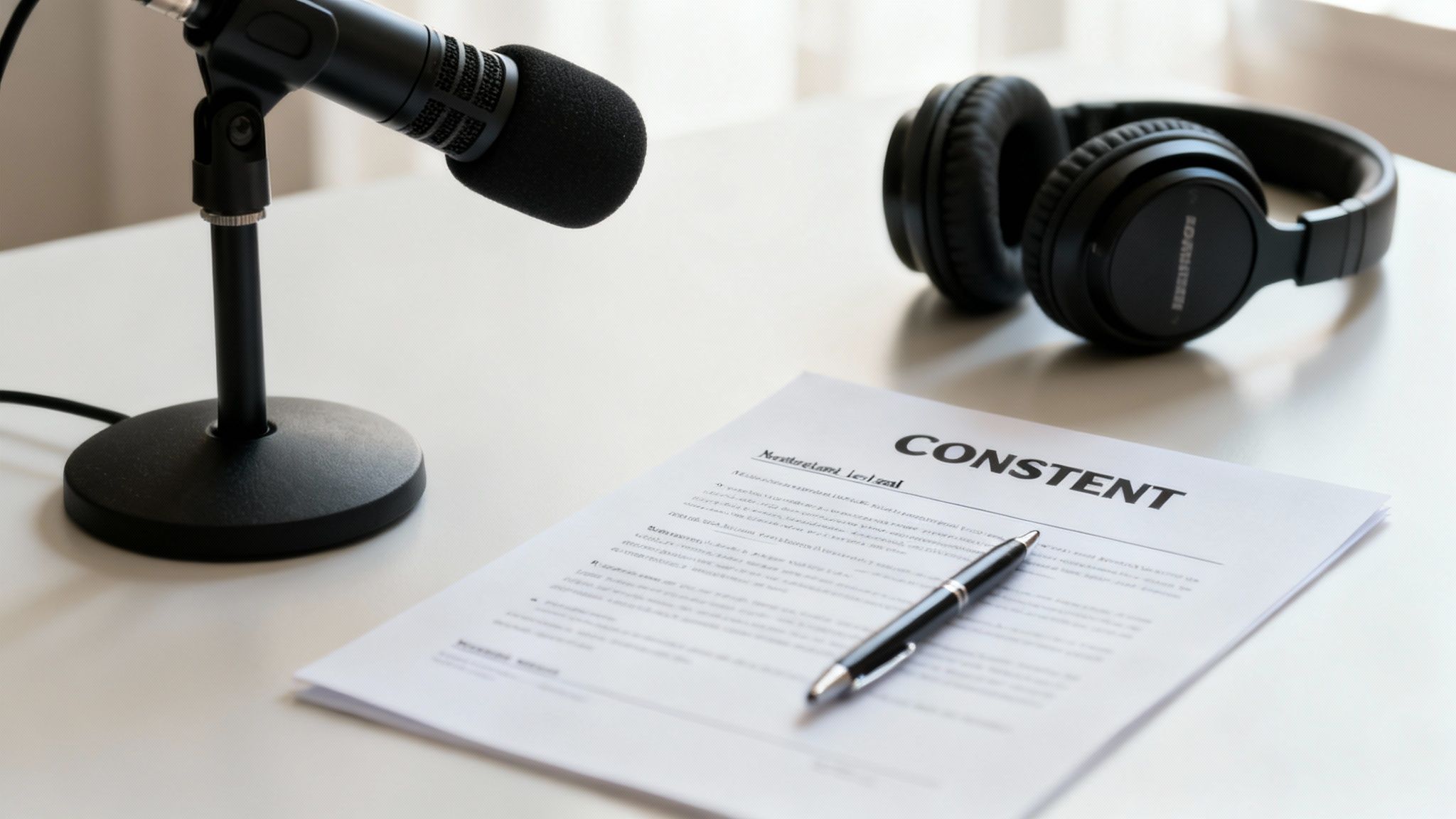
The absolute, non-negotiable foundation of any voice cloning project is explicit, informed consent. I can't stress this enough. The person whose voice you want to use must fully understand what you're doing, how their voice will be used, and agree to it in writing. A casual "sure, go ahead" over coffee won't cut it. You need a clear, documented agreement that spells everything out.
Without this, you’re not just being unethical—you're almost certainly breaking the law. A person’s voice is a core part of their identity, often protected by "right of publicity" laws that prevent its unauthorized commercial use. Cloning a voice without permission is a serious violation.
Establishing Clear Boundaries and Protections
You have to treat voice data with the same security you would any other sensitive personal information. That means putting clear guardrails in place for your project from day one.
Before you even hit record, think through these critical points:
- Licensing Agreements: Your consent form should really be a formal licensing agreement. Specify exactly where and how the voice can be used—for a specific game character, a chatbot, or an AI companion—and for how long.
- Data Security: Where are you storing the raw audio files? They need to be encrypted and accessible only to authorized personnel to prevent them from being leaked or stolen.
- Attribution and Transparency: Whenever you can, be open about using AI-generated voices. Let users know they are interacting with a synthetic voice, especially in more sensitive applications.
The core principle is simple: respect the human behind the voice. Every ethical decision you make should flow from that one idea. Innovate, create, and push boundaries, but never at the expense of someone's rights or safety.
The Rise of Misuse and Why Safeguards Matter
The creative potential of voice cloning is immense, but the technology has also opened the door to some serious risks. The rapid improvements since 2021 have been staggering, enabling models to replicate a voice from just a few seconds of audio with startling accuracy. While amazing for creators, this has led to documented cases of cloned voices being used in scams and deepfake audio incidents, forcing platforms and policymakers to act.
This new reality has spurred the development of critical safeguards. Technologies like audio watermarking can embed an imperceptible signal into the AI-generated audio, making it possible to trace its origin. At the same time, deepfake detection tools are getting much better at spotting the subtle artifacts that distinguish synthetic speech from a real human voice.
Staying on top of these developments isn't just a good idea; it's essential for anyone working in this space. For a deeper dive, our articles on AI ethics are an excellent place to start: https://www.luvr.ai/blog/category/ethics.
By prioritizing consent, securing data, and staying aware of emerging safeguards, you can explore the incredible world of AI character voices responsibly. This careful approach protects the voice actor, your audience, and ultimately, the integrity of your own creative work.
Common Questions About Crafting AI Character Voices
When you first start exploring AI character voices, you're bound to have questions. This technology is moving at lightning speed, and what felt like science fiction just a year or two ago is now readily available. Let's walk through some of the most frequent questions I hear from creators.
Getting the fundamentals down will save you a world of headaches later on. Think of this as your practical guide to turning text into a truly believable vocal performance.
How Much Audio Do I Really Need to Clone a Voice?
This is the big one, and thankfully, the answer is "less than you think." Modern voice cloning can often get a recognizable result from just a few seconds of clean audio. It’s seriously impressive stuff. But for a high-fidelity character that can truly perform, you'll want more to work with.
For an expressive, dynamic character, I always recommend aiming for 15-30 minutes of high-quality, emotionally varied audio. This gives the AI model a rich dataset to learn all the subtle quirks—the unique intonation, cadence, and pacing—that make a voice feel human. Short clips are fine for a test, but a bigger dataset is what gives you a voice capable of delivering a convincing performance across different emotional states.
Here's a pro tip that has saved me countless hours: the quality and variety of your input audio directly dictate the quality of the final voice. Always, always prioritize clean audio from a quiet space over sheer quantity. A shorter, pristine recording will beat a longer, noisy one every single time.
Can I Make an AI Voice of a Famous Actor?
Let me be crystal clear on this one: absolutely not. A person's voice is legally protected by their "right of publicity." This means you can't use someone's likeness, including their voice, for commercial purposes without their explicit, written permission.
Trying to clone a celebrity's voice without a contract isn't just unethical; it’s a direct path to a major lawsuit. You’d be putting yourself and your entire project at huge legal and financial risk. There are only two responsible ways to go about this:
- Work directly with voice actors: This is the best approach. Hire a professional and get a clear licensing agreement that spells out exactly how their cloned voice can and cannot be used.
- Use royalty-free voices: Many AI voice platforms have fantastic libraries of pre-made synthetic voices that are fully cleared for commercial use.
Never assume you can use a voice just because you found a recording of it online. Consent is non-negotiable.
How Do I Make AI Voices Feel Natural in Interactive Apps?
For any real-time application—think games, virtual companions, or chatbots—the secret sauce is low latency. When a user says something, the AI’s response has to feel immediate. Any noticeable delay shatters the illusion of a real conversation.
Your first step is to choose a voice generation API that’s built for speed. Look for services specifically optimized for real-time conversational AI. Beyond the tech, there are some clever strategies you can use to make the experience feel more fluid.
For example, you can pre-generate common, short phrases your character is likely to say often. Think greetings ("Hey there!"), quick affirmations ("Got it."), or farewells ("Talk to you later."). By storing these locally, they can play instantly without a round trip to the server, making the interaction feel snappy right from the start.
You should also get comfortable using SSML to dynamically shift the voice's emotional tone based on the conversation's context. If a user sounds frustrated, the AI can respond in a more empathetic or calming tone. Ultimately, nothing beats constant testing and tweaking based on real user feedback. That’s how you perfect the experience and create AI character voices that genuinely connect with people.
Ready to bring your own unique AI character to life? At Luvr AI, we give you the tools to design, voice, and interact with companions that feel truly alive. It's time to explore the possibilities and build your perfect connection.