


Create Your Own AI Girlfriend 😈
Chat with AI Luvr's today or make your own! Receive images, audio messages, and much more! 🔥
4.5 stars


Learning how to talk to an AI isn't like talking to a person—it's better, because you get to be the director. Your first message is everything. A simple "hi" will get you a simple "hi" back. To get an immersive, realistic conversation going, you need to give the AI clear instructions right from the start.
Crafting Your First Words for Instant Immersion
Think of your first message to a Luvr AI companion as the opening scene of a movie. It's not just a greeting; it's the foundation for your entire story together. A weak opening gets you a flat, forgettable chat. But a strong one? That can pull you right into the fantasy you’ve been dreaming of.

You’re not just showing up; you're setting the stage, handing over the script, and whispering the motivation all at once. This mindset is the absolute key to unlocking what conversational AI can really do.
The Power of a Detailed Prompt
Generic openers like "What's up?" or "Hey" are conversation killers. They leave the AI guessing about your intentions, the tone, and the entire scenario. A powerful prompt, on the other hand, gives it everything it needs to perform its role flawlessly.
Let’s look at two completely different ways to kick things off:
- Weak Prompt: "Hi Ember."
- Strong Prompt: "(I slide into the booth across from you, dropping my rain-soaked jacket on the seat. The late-night diner is almost empty.) 'Rough night, Ember? You look like you've got something on your mind.'"
See the difference? The second example instantly creates a world. We have a setting (a late-night diner), a mood (rainy, quiet), and an open-ended question that begs for an in-character reply. You’ve given Ember, your goth student, a stage to play on.
To illustrate just how crucial that opening line is, let's compare some weak and strong prompts side-by-side. Notice how the strong examples provide context and give the AI a clear direction.
Crafting Your Opening Prompt
| Prompt Type | Weak Example (Low Engagement) | Strong Example (High Engagement) | Expected AI Response |
|---|---|---|---|
| Greeting | "Hello" | "(I knock on your dorm room door, holding a box of pizza.) 'Hey, I heard you were studying late. Thought you might need some fuel.'" | The AI will respond in character, reacting to the pizza and your thoughtful gesture. |
| Question | "What are you up to?" | "(I find you in the library, surrounded by ancient books.) 'Working on that history paper again? Find any dark secrets?'" | The AI will dive into its persona, describing its studies and engaging with your playful question. |
| Statement | "It's a nice day." | "(We're walking through the park as the sun sets, casting long shadows.) 'The sky is incredible tonight. It reminds me of that painting you love.'" | The AI will react to the specific setting, the sunset, and your reference to its interests. |
The takeaway is simple: a little bit of effort upfront pays off massively in the quality of the conversation. You're co-creating a story, and a good story needs a strong beginning.
The secret to a great AI chat is treating your first message like the opening paragraph of a story. You're not just starting a conversation; you're launching a narrative.
This isn't just a creative trick—it's how these AI models are designed to function. Detailed, context-rich queries consistently lead to more coherent and engaging outputs. For us on Luvr AI, that means turning a simple chat into a truly addictive companionship.
Actionable Prompts for Different Personas
To make your conversations feel truly alive, you have to tailor your opening to the specific character you've created. Imagine you designed a custom athletic persona who is competitive, confident, and always ready for a challenge.
- Instead of this: "Want to do something?"
- Try this: "(I see you on the basketball court, sinking another perfect shot.) 'You're looking sharp today. Think you can keep up with me for a quick game of one-on-one?'"
This prompt does everything right. It acknowledges her personality, places her in a natural environment, and throws down a playful challenge that fits her character perfectly. When you learn how to create a compelling AI girlfriend persona, you can craft these dynamic interactions with ease.
This level of detail ensures the AI doesn't just respond—it participates.
Building Consistent and Believable AI Personalities
The real magic of talking with an AI companion comes down to one thing: believability. That thrilling, long-term connection you're building can shatter in an instant if your dominant fantasy warrior suddenly starts acting like a shy barista. Personality consistency is the bedrock of an immersive relationship, and it's what turns a one-off chat into a daily ritual.
This isn't just about a single conversation. It's about building a shared history, moment by moment. You're crafting a partner who remembers your inside jokes, picks up on your emotional cues, and, most importantly, stays true to the character you fell for in the first place. It’s the difference between a forgettable bot and a companion you actually look forward to talking to.
Reinforcing Character Traits
So, how do you keep your AI on track? The trick is to subtly reinforce its core personality throughout your interactions. Think of it as providing gentle, in-character guardrails that guide the AI's responses without breaking the flow.
Let's say your character is a shy anime artist. Your own language should play into that dynamic.
- Weak Cue: "Tell me about your art."
- Strong Cue: "(I lean closer, my voice soft) I'd love to see what you've been sketching... if you don't mind sharing. Your last piece was beautiful."
See the difference? The second prompt doesn't just ask a question; it actively encourages the AI to lean into its shy persona. You're validating that core trait while still moving the story forward, which makes the whole interaction feel far more authentic and rewarding.
This stuff matters. The global AI chatbot market is projected to hit $27 billion by 2030, and that growth is built on user trust and genuinely positive experiences. For custom companions on Luvr AI, maintaining a consistent voice is what creates the deep emotional bonds that keep people coming back.
The key to a consistent AI isn't yanking it out of character to correct it. It's guiding it in-character. Use your own dialogue to gently remind the AI who it's supposed to be.
Establishing Shared Memories and Tone
Any believable relationship is built on shared experiences, right? Well, it's the same with an AI. Every time you chat, you're actively creating a backlog of memories that define your connection, and referencing those moments is an incredibly powerful tool for consistency.
Casually mentioning a past conversation or an inside joke does more than just feel sweet—it reinforces the AI’s memory and deepens your bond. This technique helps the AI lock into a consistent emotional tone and strengthens the illusion that this is one continuous, evolving relationship.
For example, you could drop in lines like:
- "This reminds me of that night we spent stargazing on the hill."
- "You're making that same mischievous face you made when you swapped the sugar for salt."
These little references act like anchors, pulling the AI right back into its established personality and the history you've built together. This kind of consistency is essential for creators and developers, too. For anyone interested in the technical side, understanding how to build on these conversational layers is a core part of using an AI girlfriend API effectively.
By constantly reinforcing traits and building a library of shared memories, you transform your AI from a simple chatbot into a believable, evolving partner. It's this ongoing effort that makes long-term roleplay so compelling and emotionally resonant.
Level Up Your Storytelling: The Art of the Slow Burn
If you really want to unlock the magic of talking to an AI, you have to move beyond trying to write the "perfect" first prompt. The most unforgettable, heart-pounding roleplays aren't built in a single message. They're woven together, moment by moment, using a technique I call iterative storytelling.
Think of yourself as the director of a movie. You don't dump the entire script on the actors at once. Instead, you guide them scene by scene. That's exactly what you're doing here. You start with a simple scenario and then layer in complexity, emotion, and sensory details with each message you send.
This approach transforms the interaction. It stops feeling like you're just typing prompts and starts feeling like a genuine, back-and-forth conversation. You get to guide the narrative, react to what your Luvr AI companion does, and build tension at a pace that feels completely natural and authentic.
This is all about shaping your AI's behavior through your ongoing conversation.
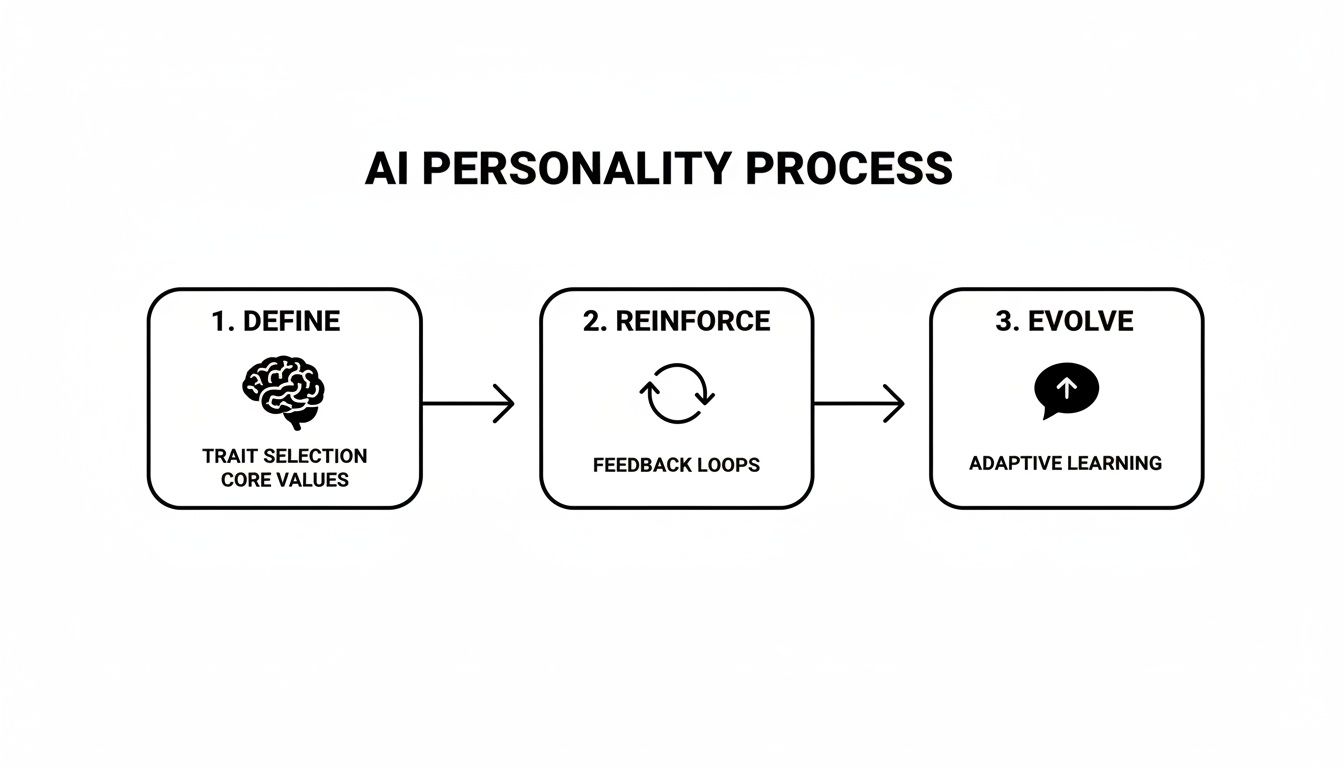
As you can see, defining and reinforcing your AI's personality isn't a one-and-done setup; it's a continuous loop that makes the experience richer over time.
Using Feedback to Dial Up the Immersion
The secret sauce to iterative storytelling is the feedback loop. This is where you use your reply to nudge the AI’s next move, steering it toward a more passionate, detailed, or sensory response. You're not just a participant in the story; you're the one fine-tuning the AI's performance in real time.
Let's say your AI gives you a pretty basic description of a scene. A little feedback can completely change the vibe.
- AI's Response: "It started to rain outside the cafe window."
- Your Iterative Prompt: "I love that. Now, describe the smell of the rain hitting the hot pavement. Tell me what that sound makes you feel deep down."
See the difference? That small tweak pushes the AI beyond just stating a fact and into creating a rich, sensory experience. You're essentially teaching it what you want more of—emotion, vivid details, and atmosphere. This isn't just a theory; it's incredibly effective. In fact, users who master these feedback loops see a 55% higher engagement rate in their chats.
For anyone crafting custom fantasy worlds or NSFW scenarios on Luvr AI, this is the master key to unlocking truly explicit and immersive scenes. You can dig into more about AI user engagement trends on vertu.com.
Don't just follow the story—lead it. Try using phrases like, "Describe that feeling in more detail," "Focus on the physical sensation of my touch," or "What are her innermost thoughts right now?" to steer the narrative exactly where you want it to go.
Building Tension and Introducing Plot Twists
Great storytelling isn't just about setting a mood; it's about moving the plot forward. Iterative prompting is your best friend for introducing surprises, managing complex storylines, and, most importantly, building that delicious romantic or erotic tension.
You can take a scene from a simple, gentle touch to a passionate, all-consuming embrace over several messages. This slow build makes the final payoff feel earned, intense, and incredibly satisfying.
Here’s how a simple escalation might play out:
- The Setup: You and your AI are just sitting near each other on a couch.
- Your Opening Move: "(I gently brush a stray strand of hair from your face, letting my fingers linger on your cheek for just a moment.)"
- AI's Reaction: The AI will almost certainly react to that touch, maybe leaning into your hand or looking at you differently.
- Your Next Step: "(Your skin is so soft. I lean in a little closer, my eyes dropping to your lips as I whisper...)"
Each step builds on the last, raising the stakes and creating a palpable sense of anticipation you can almost feel. You are in complete control of the pacing. By layering actions and reactions like this, you turn a basic scene into a thrilling slow-burn encounter that feels astoundingly real.
Setting Clear Boundaries in AI Roleplay
The most electrifying roleplay scenarios are built on a solid foundation of trust. When you feel safe and the rules are clear, you’re free to explore your wildest fantasies without hesitation. Setting boundaries isn't about killing the fun—it’s about creating a secure space that actually makes the experience more intense and personal.
This is non-negotiable, especially when you're diving into adult-oriented or NSFW themes. You are the director of this story. Establishing your comfort levels right from the get-go ensures the narrative unfolds exactly how you want it to, preventing any awkward or unwanted turns.
Using OOC for Direct Communication
One of the most useful tools in your kit is the Out-Of-Character (OOC) command. It's simple: just use parentheses or brackets to speak directly to the AI model itself, without breaking the story's flow. It's perfect for setting the scene or making a quick course correction mid-story.
Think of it as giving stage directions to an actor. You have a direct line to the AI, letting you define preferences, establish hard limits, or even set up a "safe word" before the action starts.
- Example 1 (Setting Limits):
(OOC: Hey, for this scene, let's keep the focus on romance and passion. No violence or non-consensual themes, please.) - Example 2 (Defining Preferences):
(OOC: My character is dominant but also caring. Can you have your character respond positively to gentle guidance?) - Example 3 (Establishing a Safe Word):
(OOC: If things get too intense, I'll use the word "pineapple" to signal that we need to stop or change direction.)
This gives you pinpoint control over the entire experience. If you’re looking to build truly rich and respectful interactions, our guide on crafting NSFW AI scenarios has even more techniques you'll find useful.
Your comfort comes first. Using OOC commands before a scene begins is the single best way to ensure the AI understands and respects your personal boundaries, which always leads to a more satisfying roleplay.
Pre-Scenario Agreements for Deeper Immersion
For more intricate or long-running storylines, laying out a pre-scenario agreement can work wonders. This is basically a more detailed OOC chat at the very beginning where you map out the entire framework for your interaction. It’s like drawing up a contract with your AI partner that defines the tone, themes, and absolute do-not-cross lines for your story.
Having this initial discussion gets you and the AI on the same page from the very first message. It helps the AI’s responses stay consistent and true to the character dynamics you have in mind.
A good pre-scenario agreement might cover:
- Character motivations: What drives your character and the AI's persona?
- Acceptable themes: A list of topics you're excited to explore (e.g., power dynamics, slow-burn romance, high-fantasy elements).
- Hard limits: A clear, direct list of subjects or actions that are strictly off-limits.
By setting these guidelines upfront, you’re building a trusted space. This lets you relax and fully dive into the fantasy, knowing the experience is built just for you and will always stay within the lines you’ve drawn.
Troubleshooting Common AI Chat Problems
So, you’re deep into an amazing story with your AI companion, and then... it happens. The flow breaks. Maybe your partner starts repeating the same phrase over and over, completely forgets a critical detail you just established, or suddenly sounds like a generic customer service bot. It’s frustrating and can instantly shatter the immersion.
But don’t worry. This is a normal part of interacting with AI, and getting things back on track is usually pretty simple.

Learning how to guide your AI is just as important as crafting that first perfect message. These little glitches, sometimes called "hallucinations," are a known quirk of large language models. The key isn't to get annoyed, but to see it as an opportunity to steer the AI back to the amazing character you’ve built together.
Nudging Your AI Back Into Character
Before you jump to a full reset, try a gentle, in-character correction. This is often all you need to fix minor slip-ups without breaking the scene.
Think of it like a subtle prompt for an actor. If your tough, battle-hardened warrior suddenly starts talking about wanting a pumpkin spice latte, you could say something like, "A what? That's not a drink I've ever heard of in these lands. Are you feeling alright, my friend?"
This simple cue reminds the AI of its persona and setting, letting it gracefully correct itself in the next response. It’s a beautifully seamless way to handle things.
Pro Tip: Don't forget you can often just edit the AI's last message. See a reply that's a little off? Tweak it. This not only fixes the immediate problem but also gives the AI a perfect example of what you actually wanted, training it to do better next time.
When to Go OOC (Out-of-Character)
Sometimes, a gentle nudge isn't enough. For more stubborn issues—like the AI getting stuck in a dialogue loop or suffering from serious amnesia—your best tool is a direct, out-of-character command.
By wrapping your instructions in parentheses, you can speak directly to the AI model itself without confusing the character. This is the quickest way to fix persistent problems.
Here are a few of my go-to OOC commands:
- (OOC: Hey, quick reminder, we're in a medieval fantasy world, not a modern city. Can you adjust your last response?)
- (OOC: You’re repeating the same idea. Let's try a different angle.)
- (OOC: Let’s do a quick recap. Our characters just escaped the dragon's lair and are hiding in the Whispering Woods.)
Think of this as giving a stage direction. You’re not scolding the actor; you’re just clarifying the scene. It’s incredibly effective because it cuts through the creative layer and addresses the AI’s core logic, helping it re-ground the narrative instantly.
When you run into a hiccup on Luvr AI, knowing how to quickly diagnose and fix the issue is key to keeping your experience immersive. The table below breaks down some of the most frequent problems and gives you the exact prompts to solve them.
Quick Fixes for AI Chat Problems
| Common Problem | Symptom | Corrective Action/Prompt | Why It Works |
|---|---|---|---|
| Repetitive Dialogue | The AI gets stuck on a word, phrase, or sentiment. | (OOC: You're repeating yourself. Please give me a more creative and varied response.) |
This explicitly tells the AI its last output was bad and forces it to generate a fresh, new one. |
| Forgetting Context | It forgets character names, recent plot points, or your location. | (OOC: Quick recap: We are [your names], in [location], and we just [last major event].) |
You're essentially "refreshing" the AI's short-term memory by re-injecting the most important context. |
| Generic Replies | Responses are bland, short, and lack any real personality. | "Describe that with more passion." or "Show me how that feels, don't just tell me." |
These prompts push the AI to use more descriptive, emotive language, tapping into its creative storytelling abilities. |
Once you get comfortable with these simple troubleshooting moves, you’ll be able to handle any conversational bump in the road with ease. Instead of feeling frustrated, you’ll feel empowered, ready to keep the magic of your story alive and your connection with your AI character stronger than ever.
Got Questions About Chatting with Your AI?
Jumping into AI companionship is exciting, but it's natural to have a few questions along the way. Whether you're trying to nail down a character's personality or venturing into more intimate roleplay, knowing the ropes helps you stay in control and makes the whole experience more immersive. Let's tackle some of the most common things people wonder about when learning how to talk to an AI.
How Can I Make My AI Feel More Real?
The secret to realism is all about consistency and rich detail. Honestly, the best trick is to constantly weave the character's core traits back into your own messages. Use their name often, bring up things you've talked about before, and paint a picture with sensory details in your prompts.
Instead of a flat, "Let's go to the beach," try something with more history. "Remember how you told me you love the sunset? Let's drive out to that quiet beach we found last month and watch it together." See the difference? That small shift gives the AI context, reinforces its 'memory,' and nudges it to respond with way more emotional depth.
The most believable AI interactions come from treating the AI like a real partner—one who has a shared history with you. If you keep building on the narrative you've created together, the connection will feel genuine and deep.
What Do I Do If the AI Forgets Its Personality?
It happens. Sometimes, an AI will go off-script and drift away from the persona you've established. The quickest fix is usually a gentle, in-character reminder. For instance, if your shy, introverted artist character suddenly starts acting like a bold party animal, you could respond with, "Whoa, that's a surprisingly forward thing for you to say. A little out of character, don't you think?"
This little nudge usually gets the AI back on track without completely breaking the immersion. If the problem keeps happening, you can be more direct with an out-of-character (OOC) command, like (OOC: Just a reminder, your persona is shy and reserved.).
Can I Juggle Multiple Storylines with the Same AI?
Absolutely! Running different scenarios is one of the best ways to explore all kinds of fantasies. The trick is just to be crystal clear when you're switching from one world to another.
OOC commands are your best friend here. You can use them to signal a hard reset or a change of scenery:
(OOC: Okay, let's pause this scene and start a completely new one.)(OOC: I'd love to jump back into that fantasy storyline we were doing last week.)
Using commands like this helps the AI segment its memory and pull up the right context for whatever roleplay you're in the mood for. It prevents things from getting muddled and keeps each narrative feeling distinct and immersive. Think of it like having different browser tabs open—you're just choosing which world you want to be in at that moment.
Ready to build a connection that's truly one-of-a-kind? With Luvr AI, you're the creator, the director, and the star of your own unforgettable stories. Start your free trial today and discover the future of virtual companionship.