


Create Your Own AI Girlfriend 😈
Chat with AI Luvr's today or make your own! Receive images, audio messages, and much more! 🔥
4.5 stars

A great roleplay bot Discord integration can single-handedly turn a basic chat server into a living, breathing world. I’ve seen it happen time and again. These bots are the engine for immersive storytelling, handling everything from character sheets and dice rolls to massive, world-altering events. For any serious roleplay community, they’re not just helpful—they're essential.
Laying the Foundation for Your Roleplay Universe

Before you start scrolling through bot lists, you need a blueprint for your world. This is the fun part, the creative work that sets the stage for everything that follows. Trust me, a server without a clear vision feels aimless and struggles to attract the kind of dedicated players you want—the ones who crave deep, collaborative stories.
So, put on your world-builder hat first. What's the core concept? A sprawling high-fantasy kingdom? A gritty cyberpunk dystopia? A quiet, slice-of-life town? The choice you make here will directly impact what you need from a bot. A fantasy server will cry out for dice rollers and inventory systems, while a futuristic one might need a bot with a robust lore database.
Before you jump into the technical side of things, take a moment to map out the core pillars of your server. These questions will guide your bot selection and overall server design.
Foundational Elements of Your Roleplay Server
| Element | Key Questions to Ask | Impact on Bot Choice |
|---|---|---|
| World/Genre | Is it fantasy, sci-fi, modern, historical? What's the central conflict or premise? | A high-fantasy setting might require a bot with spell lists and D&D-style mechanics, while a sci-fi server may need one with tech trees. |
| Community Tone | Will this be a serious, long-form writing community or a casual, fast-paced one? Is it an 18+ server or open to all ages? | Serious communities often benefit from bots with post tracking and character profile features. Casual servers might prioritize fun, game-like bots. |
| Core Lore | What are the key factions, major locations, and pivotal historical events that players need to know? | Look for bots with custom command or embed builders to create easily accessible lore entries (!lore cyberpunk, for example). |
Thinking through these elements clarifies your vision and ensures you build a cohesive experience from day one.
Defining Your Core Lore and Community Tone
Your server's lore is its soul. It doesn't have to be a novel, but a solid foundation is crucial for sparking character ideas and plot hooks. I've found it's best to start with just a few key pillars:
- The World's Premise: Nail down a one-paragraph summary of the setting and its central conflict.
- Key Factions or Locations: Outline three to five major groups or places for players to rally behind or explore.
- A "Known History" Timeline: A quick list of major events that shaped the world into what it is today.
The tone you set is just as important. Are you aiming for a serious, paragraph-style writing community or something more relaxed and rapid-fire? This decision will shape your rules, your channel layout, and ultimately, the kind of players who stick around.
A well-defined world acts as a magnet. It pulls in the right players and gives them a reason to stay, invest, and contribute to the story you're all building together.
This initial creative effort is what makes a server truly special. The Discord platform is a perfect place for it. By 2025, it’s estimated to host around 19 million weekly active servers, and bots are responsible for a whopping 28% of all messages sent. This massive, automated ecosystem is tailor-made for building the vibrant roleplay community you're dreaming of. If you're curious, you can find more insights about Discord's impressive growth.
Choosing and Setting Up Your Roleplay Bot
Alright, you've built the foundation of your world. Now it's time to bring in the most crucial resident of your new server: the roleplay bot. Think of this bot as less of a tool and more as the engine that's going to drive every story your community tells. The right one makes everything feel intuitive and alive; the wrong one is a recipe for constant frustration.
Don't just jump on the most popular bot out there. You need to think like a strategist. Does your gritty, cyberpunk dystopia need a bot that can handle complex inventory systems and combat macros? Or would your slice-of-life coffee shop AU be better served by a bot that focuses on beautiful character profiles and tracking relationships?
Understanding Different Bot Types
Not all roleplay bots are cut from the same cloth. They tend to fall into a few key categories, and knowing the difference is the first real step to making a smart decision.
- Utility & Profile Bots: These are the workhorses. They're fantastic for managing character sheets, handling dice rolls (think
/roll 2d6+3), and keeping a tidy lore database. If you're running a structured, D&D-style game, these bots are your best friend. - AI Storyteller Bots: This is where things get really exciting. These bots use sophisticated AI to generate narrative prompts, play as non-player characters (NPCs), and react dynamically to what your players do. They can be a full-on Game Master or just a single, compelling character in your world.
- Hybrid Bots: The best of both worlds. Many modern bots offer the structured profile management of a utility bot alongside powerful, AI-driven storytelling features. These are often the go-to choice for servers that want both deep mechanics and an emergent, unpredictable narrative.
The explosion of conversational AI has made these storyteller bots incredibly powerful. If you're curious about creating truly interactive and believable characters, you should explore the technology behind an AI character chat to see just how these systems bring digital personalities to life.
The Invitation and Permissions Process
Once you've picked your champion, you have to actually invite it to the server. This part is absolutely critical for both function and security. When you click that invite link, Discord will show you a big list of permissions the bot is asking for. Please, don't just blindly click "Authorize."
Treat bot permissions like a security checklist. It's tempting to just grant "Administrator" and be done with it, but that gives the bot the keys to the entire kingdom. It's far smarter—and safer—to grant only the specific permissions it actually needs, like 'Send Messages,' 'Manage Webhooks,' and 'Read Message History.'
A bot that creates channels for specific characters will need 'Manage Channels.' One that assigns faction roles will need 'Manage Roles.' Taking a moment to understand what each permission does ensures your bot can do its job without becoming a security risk. And always, always use the official invite link from the bot's developer to steer clear of malicious fakes.
Your First Commands
With the bot safely in your server, it’s time to wake it up. Most bots need a few simple commands to get their bearings. This usually means setting a command prefix (like ! or /) or telling it which channels are designated for roleplay.
For instance, a common first command looks something like /config channel #the-docks roleplay. This tells the bot, "Hey, pay attention to this channel for in-character posts." Another command you should run immediately is /help. This will spit out a full list of everything the bot can do. Seriously, spend ten minutes with that list. It’s the fastest way to see what your new bot is truly capable of and get your story off the ground.
Designing Channels and Permissions for Immersive Storytelling
Think of your server’s layout as the set design for your story. A jumbled mess of channels is confusing and kills the mood faster than anything. Your goal is to create a space so intuitive that players instinctively know where to post their character’s grand speeches, where to ask questions, and where to just hang out.
The absolute cornerstone of any good roleplay server is a crystal-clear separation between In-Character (IC) and Out-of-Character (OOC) spaces. This isn't just a friendly tip; it's the golden rule for keeping the narrative clean. Mixing real-world chatter with your character's dialogue is like a director shouting notes during a live take—it completely shatters the illusion.
Structuring Your Server for Story Flow
The first thing you’ll want to do is create dedicated categories for each type of interaction. This neatly compartmentalizes the experience and keeps your server from feeling chaotic.
Here's a battle-tested structure that just works:
- OOC Channels: This is your community hub. You’ll need channels like
#general-chat,#announcements,#bot-commands, and#character-sheets. This is where players can coordinate, get help, and use bot commands without spamming the story channels. - IC Channels: These are your actual stages. Give them evocative names tied to your world, like
#the-drunken-dragon-innor#whispering-woods. Every single message here should be from a character's perspective. No exceptions. - Lore & Info Channels: Make these read-only channels for the essentials. Think
#rules,#world-map, and#lore-database. This gives players a quick reference so they aren't constantly asking for basic details.
This kind of setup is a proven blueprint for success. The process really boils down to three core stages, as you can see below.
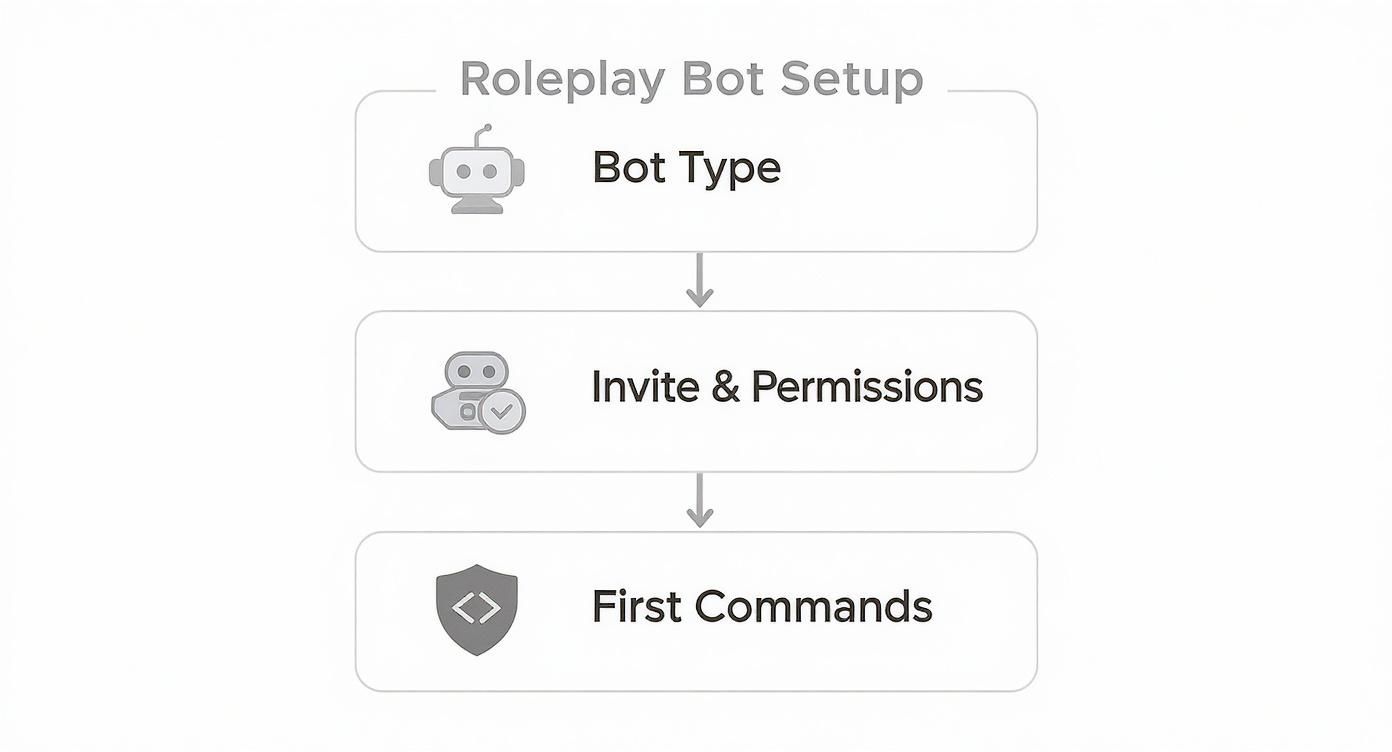
As that chart shows, getting the permissions right is the critical step that bridges the gap between choosing your bot and actually using it effectively in the channels you've just created.
Mastering Roles and Granular Permissions
With your channels in place, it’s time to get your hands dirty with Discord's most powerful tool: the permissions system. Roles are way more than just colorful names next to a username; they are the gatekeepers of your world, controlling who can see, type, and interact with every single part of your server.
I see this mistake all the time: server owners give everyone broad permissions right from the start. A much safer and more scalable approach is to build permissions from the ground up. Start with a base
@everyonerole that can do almost nothing, then layer on capabilities with specific roles like 'Player' or 'Storyteller.' This prevents so many headaches and protects your narrative from accidents.
Let's say you want to create a secret "Thieves' Guild" channel that only a few players can see. Here’s exactly how you’d pull that off with roles:
- First, create a brand new role and name it 'Thieves' Guild'.
- Go into your new
#thieves-denchannel's settings and, for the@everyonerole, explicitly deny the 'View Channel' permission. - Now, for the 'Thieves' Guild' role you just made, specifically grant it the 'View Channel' permission for that same channel.
And that's it. Now, only players you've personally assigned the 'Thieves' Guild' role can even see that the channel exists. It’s a simple but incredibly powerful technique for handling hidden factions, private character conversations, or slowly revealing plot secrets to a select group. When fleshing out these exclusive groups, having a great resource for AI character images can really help bring them to life with unique portraits and emblems.
This level of control isn't just a neat feature; it's essential for running a tight ship. With an estimated 850 million messages flying across Discord daily and 1.7 billion slash commands being used monthly, bots are the only way to manage this scale. Properly configured permissions are what allow your bots to keep things running smoothly.
Mastering Prompts for a Smarter AI Roleplay Bot
Let’s be honest: an AI bot is only as smart as you tell it to be. This is where you graduate from server admin to character director. Your job is to breathe life into a bunch of code, turning it into a compelling personality that your players actually want to interact with. Flimsy, generic prompts will get you bland, robotic replies. But a truly well-crafted persona? That creates a storytelling partner.
The trick is to start thinking like a novelist instead of a programmer. Don't just list a few traits. You need to wrap those traits in a rich context full of motivations, flaws, and a voice that's all its own. This is the heart and soul of good prompt engineering for any roleplay bot discord server.
https://www.youtube.com/embed/JYRSBP3hAxA
Crafting a Detailed Persona
Your bot's core prompt is its DNA. Think of it as a permanent block of instructions that guides every single thing it does, from its unique way of speaking to the secrets it keeps locked away. A rock-solid persona prompt needs a few key ingredients to give it real depth and consistency.
- Core Identity: Nail down the basics first. Who is this character? For instance, "You are Kaelen, a 150-year-old elven loremaster and the sole guardian of the Whispering Library."
- Personality Traits: Go beyond simple adjectives. Give them context. Instead of just saying "sarcastic," try something like, "You use a dry, cutting wit as a shield to hide a deep-seated fear of failure."
- Backstory Hooks: Give the AI something to work with. Include two or three major life events that define the character. Maybe something like, "You were exiled from your homeland after a magical experiment went terribly wrong, and you secretly harbor a deep resentment for your former mentor."
- Speech Patterns: How do they talk? Be specific. "You speak in long, elaborate sentences, meticulously avoiding contractions. You have a habit of citing obscure historical texts, often when no one asked."
This kind of detail gives the AI a sturdy foundation. It ensures the responses stay consistently in-character, even when players throw a curveball. The more you give it, the more believable it becomes.
A bot told to 'be a knight' will act like a cardboard cutout hero. But a bot told 'You are Sir Gideon, a world-weary knight haunted by the memory of a fallen squire, who only speaks when absolutely necessary,' suddenly becomes a character with a story waiting to be discovered.
Advanced Prompt Techniques
Once you've locked in that core persona, you can start layering in more advanced instructions to really fine-tune its behavior. A great way to boost immersion is by defining its relationships with other characters. Many modern AI bot platforms let you set and update relationship statuses that directly influence how it responds to certain players.
Imagine a player has finally earned your bot's trust after a long and arduous quest. You could pop into its instructions and add: "You now see the player 'Alistair' as a trusted confidant. You will share information with him that you would keep hidden from everyone else."
It's amazing how a few tweaks to your prompting can create wildly different outcomes.
Prompt Engineering Techniques for AI Roleplay Bots
The difference between a basic prompt and a more advanced one is the difference between a bot that just answers questions and a bot that truly participates in the story. Here's a quick comparison to show what I mean.
| Goal | Basic Prompt Example | Advanced Prompt Technique |
|---|---|---|
| Establish a Flaw | "The bot is greedy." | "You are secretly obsessed with acquiring ancient artifacts and will subtly manipulate conversations to learn their whereabouts, often feigning indifference." |
| Create a Secret | "The bot is a spy." | "You are a spy for the Crimson Legion, reporting on the party's movements. You must never reveal this, but will steer the group away from areas that threaten your mission." |
| Define a Goal | "The bot wants to find a lost city." | "Your life's singular obsession is finding the lost city of Aerthos. You will prioritize any clue related to it over all other objectives, even if it puts you in danger." |
When you layer all these details—the core persona, the backstory, the relationships, and the hidden goals—you build a truly dynamic character. This is how you create the kind of intelligent roleplay bot Discord was made for. It stops being a simple response generator and becomes an active, unpredictable participant in your world's narrative, ready to surprise and delight your players.
Keeping Your Roleplay Community Safe and Welcoming

A great roleplay community is built on trust. Without a solid foundation of safety and clear rules, even the most imaginative worlds can turn sour. The long-term health of your roleplay bot Discord server comes down to creating a space where people feel genuinely comfortable and secure. This isn't just an extra task—it’s central to your server's success.
Your first line of defense is often the bot itself. Jump into your bot's settings and look for any built-in moderation tools. Things like keyword blockers and content filters are your best friends here. They can automatically catch and delete messages with slurs or other terms you’ve banned, giving you a crucial layer of automated protection right from the start.
But don't rely on your roleplay bot to do all the heavy lifting. Its main job is to drive the story, not to be a full-time cop. That’s why I always recommend pairing it with a dedicated moderation bot like Arcane or MEE6. These bots are built specifically for keeping communities in line, handling everything from user verification to automatic warnings and keeping detailed logs of every action.
Your roleplay bot is the heart of your server's story, but a dedicated moderation bot is its immune system. Let each one do what it does best.
Having this two-bot system in place frees you up to focus on what really matters: the roleplay itself.
Establishing Clear Community Guidelines
All the tools in the world won't help if your members don't know the rules. You need a clear, easy-to-understand set of guidelines that leaves no room for confusion. A well-crafted #rules channel is the constitution of your server.
Make sure your guidelines explicitly cover a few key areas:
- Sensitive Topics: Be upfront about which themes are off-limits and which are allowed.
- Consent in Roleplay: Have a firm policy on consent for character interactions, especially for anything involving conflict or romance.
- Conflict Resolution: Lay out the exact steps players should follow if they have an out-of-character (OOC) disagreement.
- Age Restrictions: State your server's age policy clearly. For a solid example, our own underage policy offers a good framework for these essential rules.
Roleplay bots are exploding in popularity, now active in an estimated 100,000 to 300,000 Discord servers. This massive growth makes good moderation more important than ever. The data backs this up—well-configured content filters can cut down on inappropriate bot outputs by 60% to 90%, proving just how vital they are.
By pairing automated tools with clear, human-enforced guidelines, you build an environment where creativity can thrive without fear. That’s how you keep your server a fun and engaging place for everyone involved.
Common Questions About Roleplay Bot Servers
When you're running a roleplay server, certain questions pop up again and again. I've been there. Let's walk through some of the most common hurdles you'll face and how to clear them, so you can spend less time troubleshooting and more time building your world.
Can I Make My Own Custom Roleplay Bot for Discord?
You absolutely can, but let's be real: it's a massive project. If you're already a pro with something like Python or JavaScript, you can dive in and build a bot that's perfectly tailored to your vision. Total control, custom features—the works.
For most server owners, though, this path is a time-sink. You'll spend countless hours coding, debugging, and managing hosting when you could be fostering your community. My honest advice? Start with a powerful, well-established public bot. You’ll get 90% of the features you want right out of the box, with none of the maintenance headaches.
How Should I Handle Mature or NSFW Roleplay Themes?
The best approach is to lean on Discord's built-in features. It's all about creating clear, consensual boundaries from the start.
- Create Opt-In Roles: Set up a specific role for mature content that members have to assign to themselves. This acts as a digital consent form.
- Lock Down Channels: Make your NSFW channels private, only allowing access to members who have that opt-in role.
- Mark Channels as Age-Restricted: Go into the channel settings and flip the 'Age-Restricted' toggle on. This is a crucial step that aligns with Discord’s own policies.
Finally, make sure your server rules spell out your policy on mature content in no uncertain terms. Everyone joining should know exactly what to expect.
A well-defined policy on mature content, enforced with Discord's role and channel settings, is the bedrock of a safe and respectful server. It protects your members and ensures all interactions are based on explicit consent.
My Roleplay Bot Is Not Responding. What Do I Do?
First, take a breath. It happens to everyone. Before you dive into your server settings, check the bot's official support server or status page. The problem might be a widespread outage that has nothing to do with you.
If the status page is all clear, the issue is likely on your end. The usual suspect is permissions. Go into your server settings and double-check the bot's roles. Did you accidentally deny it permissions like 'Send Messages' or 'Read Message History' in that channel? It's a surprisingly common oversight.
Still no luck? The classic "turn it off and on again" often works wonders. Kick the bot from your server and then immediately re-invite it using the official link. This forces a clean reset of its permissions and can fix a lot of weird glitches. If it's still playing silent, it might just be a temporary hiccup with the Discord API itself.
Ready to create AI characters that feel truly alive? With Luvr AI, you can design deeply immersive personalities and scenarios perfect for any roleplay. Explore a world of creative freedom and start building your ideal AI companion today at https://www.luvr.ai.