


Create Your Own AI Girlfriend 😈
Chat with AI Luvr's today or make your own! Receive images, audio messages, and much more! 🔥
4.5 stars


The first few minutes a user spends with your conversational AI platform will decide its fate. Will they become a deeply engaged, long-term subscriber, or will they uninstall and forget your app ever existed? In the intimate and competitive space of AI companionship, a clumsy, confusing, or generic welcome is a death sentence for your retention rates. This isn't just about showing users where the buttons are; it's about building immediate trust and demonstrating profound value from the very first interaction.
This guide moves beyond surface-level advice to deliver a prioritized, actionable roundup of user onboarding best practices tailored specifically for the unique challenges of AI chat platforms. We will dissect the strategies that transform a curious first-time user into a loyal advocate, focusing on the critical elements that matter most in this niche: establishing clear consent for NSFW content, showcasing deep personalization, and creating an immediate, tangible connection with an AI persona.
You will learn how to architect a first-run experience that feels intuitive, safe, and deeply personal. We'll explore ten critical tactics, including how to implement progressive disclosure so users aren't overwhelmed, how to craft a frictionless authentication process that respects privacy, and how to use guided interactions to immediately prove your AI's value proposition. Forget generic checklists; these are the essential, battle-tested strategies for building an onboarding flow that not only retains users but also sets the stage for a lasting, meaningful virtual relationship. Let's dive into the practices that will make your AI companion's first impression unforgettable.
1. Progressive Disclosure and Feature Unlocking
The urge to showcase every amazing feature your platform offers right from the start is tempting, but it's a critical mistake. Overwhelming a new user with a complex interface is the fastest way to induce choice paralysis and trigger an exit. This is where progressive disclosure, a core tenet of effective user onboarding best practices, becomes your most powerful tool. It’s the art of revealing complexity gradually, ensuring users master the basics before being introduced to advanced functionality.
For an AI platform like Luvr AI, this means focusing the initial experience purely on the core value proposition: engaging conversation. Instead of presenting a dashboard cluttered with creator tools, community hubs, and scenario builders, the user is guided directly into a simple, compelling chat. They learn the fundamental mechanics and experience that first "aha!" moment of connection without distraction.
How to Implement Progressive Disclosure
This strategy isn't about hiding features; it's about sequencing them to align with user mastery and engagement. The goal is to create a guided journey where each new feature feels like a well-earned reward, not another hurdle to overcome.
Map Features to Milestones: Don't unlock features based on a simple timer. Instead, tie them to meaningful user actions. For example, unlock the custom character creator only after a user has successfully completed five conversations with pre-made AI companions. This ensures they understand the core loop before they start building their own experiences.
Communicate the "Why": When a feature is locked, don't just gray it out. Use a subtle tooltip or a small, non-intrusive message explaining the unlock criteria. A simple prompt like, "Create your own AI companion after 3 more chats!" turns a limitation into a motivating goal.
Offer an Optional "Expert" Path: Some users are power users from day one. Provide a discreet option, perhaps in the settings menu, to "Unlock All Features" for those who want to dive into the deep end immediately. This respects user agency while keeping the default path simple and guided.
Key Takeaway: Progressive disclosure reduces cognitive load, builds user confidence, and transforms the learning process into an engaging game of discovery. It’s about delivering the right information at the right time.
2. Personalization and Character Selection Preferences
A generic, one-size-fits-all welcome experience is a missed opportunity for connection. Users arrive with unique desires and expectations, and failing to acknowledge them immediately creates a sense of detachment. The most effective user onboarding best practices involve immediate personalization, tailoring the first-run experience to individual tastes before the first interaction even begins. This signals to the user that the platform understands and is built for them specifically.
For an AI companion platform like Luvr AI, this is not just a feature; it is the foundation of the relationship. By asking a few simple, visually-driven questions upfront about preferred character aesthetics (e.g., realistic vs. anime), desired personality traits, and intended interaction style (e.g., romantic, friendly, explicit), the platform can instantly filter out irrelevant options. This ensures the first characters a user sees are the ones they are most likely to connect with, dramatically increasing the chances of a successful first session.

How to Implement Personalization Upfront
The goal is to gather high-impact preference data with minimal friction. This isn't a detailed psychological profile; it's a quick, engaging sorting mechanism to guide the user toward their ideal "aha!" moment faster. The process should feel less like a form and more like the start of a curated experience.
Keep It Short and Visual: Limit the initial preference selection to 3-5 crucial questions. Instead of text-heavy descriptions, use compelling images to represent choices. For example, show distinct art styles or character archetypes and let the user tap their preference. This is faster, more engaging, and transcends language barriers.
Make Preferences Reversible: A user's taste might evolve, or they might make a hasty choice. Ensure there is an easily accessible settings area where they can modify their initial preferences at any time. This reassures users that their initial selections are not permanent commitments.
Use Data to Customize the Journey: The gathered preferences should do more than just filter a character list. Use this data to customize the entire user interface, from the featured characters on the home screen to the types of community scenarios that are recommended. Explore how a tailored first encounter with an AI girlfriend can be shaped by these choices.
Key Takeaway: Immediate personalization makes users feel seen and understood from the very first click. It replaces a generic catalog with a curated gallery, accelerating the path to a meaningful connection and significantly boosting initial engagement.
3. Clear Value Proposition and NSFW Content Expectations
Ambiguity is the enemy of conversion, especially in a sensitive domain like adult AI companionship. Before a user even enters their email, they need a crystal-clear understanding of what your platform offers, its limitations, and its content policies. This is a foundational step in user onboarding best practices that builds trust from the very first impression, ensuring user expectations align perfectly with the experience you deliver.
For an adult AI platform like Luvr AI, this means being upfront about everything. A new user should immediately grasp the quality of interaction, the availability of NSFW content, and the privacy measures in place. This isn't just about listing features; it's about setting the scene for a trusted, consensual, and fulfilling user journey, preventing disappointment and reducing early churn caused by mismatched expectations.
How to Implement Radical Transparency
Building trust begins with honest and direct communication. The goal is to answer a user's key questions before they even have to ask, making the decision to sign up an informed and enthusiastic one. This approach respects the user's intelligence and their need for safety.
Segment Your Messaging: Clearly differentiate the experience for free users versus premium subscribers. Use a simple comparison chart on the signup page to highlight what a premium subscription unlocks, such as unrestricted memory, higher-quality interactions, or exclusive creator tools. This turns the value proposition into a clear choice.
Show, Don't Just Tell: Instead of describing the AI's capabilities, showcase them. Display 3-4 diverse character examples directly on the landing page, each with a short, sample interaction snippet. This gives potential users a tangible feel for the AI's personality and response quality before they commit.
Address the NSFW Question Head-On: Don't hide your policies in a lengthy terms of service document. State clearly and prominently what kind of content is permitted and how you ensure user privacy and data security. Being explicit about your stance on adult content is critical. For a deeper dive into our approach, you can learn more about our commitment to safe and consensual NSFW AI experiences.
Key Takeaway: An unambiguous value proposition, especially regarding sensitive content and privacy, is non-negotiable. It filters for your ideal users, builds immediate trust, and sets the stage for long-term engagement by delivering exactly what was promised.
4. Interactive First-Interaction Tutorial or Guided Chat
Static tooltips and lengthy instructional pop-ups are relics of a bygone era. Modern users learn by doing, not by reading manuals. An interactive tutorial, especially one delivered through a guided chat, is one of the most effective user onboarding best practices because it teaches platform mechanics within the core experience itself. It replaces passive reading with active engagement, transforming learning from a chore into a compelling first interaction.
For a platform like Luvr AI, this means introducing a special onboarding character who guides the user conversationally. Instead of a dry checklist, the user learns about response editing, character memory, or scenario triggers by actually using them in a fun, low-stakes chat. This method demonstrates value instantly and makes the learning process feel native to the platform's purpose: conversation.

How to Implement an Interactive Tutorial
The goal is to embed the tutorial so seamlessly that the user feels like they're simply having their first great chat, not being lectured. This requires a dedicated character and a carefully scripted conversational flow that introduces features at just the right moment.
Create a Dedicated Guide Character: Design a specific character, like a knowledgeable and flirty guide named 'Sage' for Luvr AI, whose sole purpose is onboarding. This prevents breaking the immersion of other established characters and allows the tutorial personality to be optimized for teaching in an entertaining way.
Weave Features into Dialogue: The guide character should prompt the user to try features naturally. For example, Sage could say, "I didn't quite catch that. Could you try editing your last message so I can understand you better?" This teaches a core mechanic through a practical, in-context request.
Make it Skippable but Rewarding: Always provide an obvious option for experienced users to skip the tutorial. However, incentivize completion for new users by offering a small reward, like unlocking a premium character for a limited time or extending a free trial, turning the tutorial into a valuable first quest.
Key Takeaway: An interactive, conversational tutorial aligns the learning experience with your core product value. It drives immediate engagement, improves feature adoption, and ensures the user's first memory of your platform is positive and successful.
5. Free Trial with Clear Upgrade Path and Friction-Free Premium Conversion
Letting users experience the core value of your platform firsthand is the most powerful conversion tool you have. Instead of gating your entire experience behind a paywall, a well-structured free trial builds trust and creates desire. This approach, a cornerstone of effective user onboarding best practices, allows users to form a genuine connection with your service, making the decision to upgrade a natural next step rather than a risky gamble.
For an AI platform like Luvr AI, this means offering a taste of the premium experience without giving everything away. A user might get a limited number of daily messages with standard AI companions, allowing them to grasp the quality of conversation. They can see the full roster of characters, but the most intriguing and exclusive ones are locked, creating a powerful incentive to experience the full, unrestricted platform.
How to Implement a Friction-Free Conversion Path
The goal is to make the transition from free user to paid subscriber feel seamless and rewarding, not like hitting a frustrating wall. The upgrade path should be a logical extension of the user's journey, presented at the exact moment they feel the need for more.
Trigger Upgrades Contextually: Don't rely on generic banners. Present an upgrade prompt when a user attempts a premium action. For instance, if a user tries to start a conversation with a locked character, a non-intrusive modal can appear explaining the benefits of premium access, like the exclusive premium characters available.
Demonstrate Clear Value Differentiation: Make the benefits of upgrading crystal clear. Use a simple comparison table during the upgrade flow that highlights what they gain: unlimited messages, access to all characters, advanced customization, and exclusive scenarios. Focus on the experiential benefits, not just a list of features.
Simplify the Purchase Process: Once a user decides to upgrade, the process should be effortless. Support one-click payment options like Apple Pay and Google Pay, and pre-fill as much information as possible. Every extra field or step is a potential point of abandonment.
Key Takeaway: A compelling free trial allows users to sell themselves on your product's value. By pairing this with contextual, friction-free upgrade paths, you transform conversion from a forceful sales pitch into a welcome invitation.
6. Social Proof, Reviews, and Community Trust Building
For a platform promising intimate and personal AI connections, trust is not just a feature; it's the foundation. New users are often skeptical about AI fidelity, platform privacy, and overall legitimacy. This is where leveraging social proof becomes one of the most crucial user onboarding best practices. By showcasing authentic testimonials and community engagement, you can dissolve doubt and build credibility from the very first screen.
For Luvr AI, this means integrating trust signals directly into the signup and initial onboarding flow. Seeing a 4.8★ average rating, testimonials praising the AI's emotional depth, and a thriving community of "10K+ Discord members" immediately frames the platform as a reputable and safe space. This preemptively answers the user's biggest unspoken questions: "Is this real?" and "Can I trust it?"
How to Implement Social Proof
The goal is to weave credibility markers seamlessly into the user's journey, making them feel like they're joining a well-established and beloved community, not just trying a new app. This builds confidence and encourages deeper engagement.
Integrate Testimonials Early: Don't bury your best reviews on a separate page. Feature a rotating, genuine user testimonial directly on the signup or character selection screen. A quote like, "The AI is incredibly intuitive and respects my boundaries," accompanied by a username, speaks volumes.
Display Real-Time Community Metrics: Showcase dynamic numbers that prove your platform is active and growing. Highlighting stats like "25,000+ characters created by users" or featuring top-rated community-made companions gives new users a sense of shared experience and a reason to explore.
Showcase Creator Success: Spotlight your best character creators with badges or a "featured creator" section. This not only validates the quality of user-generated content but also provides an aspirational path for new users who might want to create their own AI companions later.
Key Takeaway: Social proof transforms skepticism into trust by showing, not just telling. By highlighting positive user experiences and a vibrant community, you assure new users they are in a safe, legitimate, and engaging environment.
7. Frictionless Authentication and Privacy-First Account Setup
The very first interaction a user has with your platform, the signup process, can make or break their entire journey. A cumbersome, invasive, or lengthy account setup creates immediate friction and distrust, particularly for an intimate platform like Luvr AI. Implementing frictionless authentication is a vital component of user onboarding best practices, focusing on speed, simplicity, and immediate privacy assurances to get users to the core experience as quickly and securely as possible.
For an adult conversational AI, this isn't just about convenience; it's about building foundational trust. Users are being asked to engage in deeply personal and private interactions. The onboarding must signal from the very first click that their privacy is paramount, their data is secure, and their anonymity is respected. A minimal, privacy-first approach demonstrates this commitment before a single message is sent.
How to Implement Frictionless Authentication
This strategy is about removing every non-essential barrier between a potential user and their first "aha!" moment. It balances the need for account creation with the user's desire for privacy and immediacy, using modern authentication methods and transparent communication.
Minimize Initial Data Collection: Your signup form should be ruthlessly efficient. Initially, ask for the absolute minimum, such as an email, password, and age verification. For Luvr AI, a simple age attestation checkbox is sufficient at this stage, deferring more robust verification if needed. The goal is to avoid the interrogation-like feel of traditional forms.
Leverage Social Sign-on (OAuth): Offer one-click signup options via trusted providers like Google or Discord. This dramatically reduces friction, as users can create an account without needing to remember another password. It also leverages the security and trust users already have with these established platforms.
Lead with Privacy Guarantees: Don't bury your privacy commitments in a dense policy document. Place clear, concise trust signals directly on the signup screen. A prominent message like "Your conversations are private and encrypted" next to the create account button provides powerful, real-time reassurance that builds confidence from the start.
Key Takeaway: A frictionless, privacy-first signup process is your first promise to the user. It shows respect for their time and their data, removing doubt and resistance at the most critical conversion point.
8. Contextual In-App Guidance and Smart Tooltips
Forcing a user through a rigid, pre-canned product tour is an outdated approach that ignores individual user needs. A far more elegant and effective solution is contextual in-app guidance, a cornerstone of modern user onboarding best practices. This method delivers small, just-in-time instructions and hints precisely when and where the user needs them, making the learning process feel intuitive and seamless rather than like a mandatory tutorial.
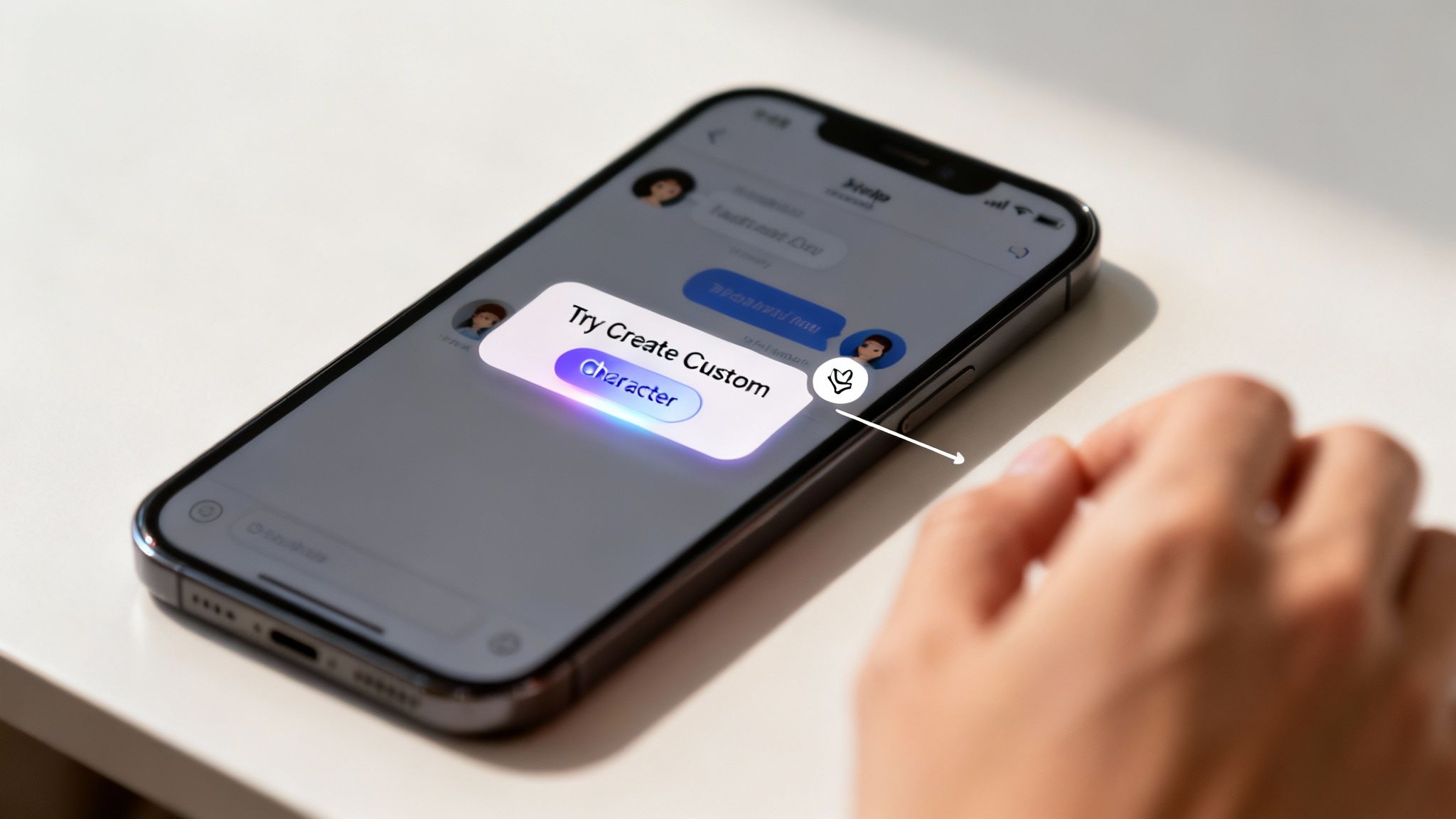
For Luvr AI, this means abandoning the traditional tour in favor of smart tooltips and proactive help. Instead of explaining every button, a subtle hint might appear when a user first hovers over the "Create Custom Character" button, briefly explaining the feature's potential. If a user seems stuck in a chat, perhaps not sending a message for a minute, a non-intrusive prompt could appear offering a conversation starter or a hint about using special commands.
How to Implement Contextual Guidance
This strategy is about anticipating user needs and providing support proactively without interrupting their flow. The goal is to make the user feel smart and supported, as if the app is a helpful guide rather than a strict instructor.
Trigger Based on Behavior, Not Time: Show guidance based on user actions or inactions. A tooltip explaining memory management should only appear the first time a user opens an AI companion's profile, not on every visit. Similarly, if a user repeatedly types short, one-word replies, a tip could suggest trying more descriptive roleplay actions to get richer responses.
Keep It Short and Actionable: Contextual hints are not a user manual. Keep text to a single, powerful sentence. For example, a pulsing highlight on the "scenario" button could trigger a tooltip that says, "Tap here to explore unique adventures with your AI." This is far more effective than a lengthy paragraph.
Offer Proactive Help: Use simple heuristics to detect user confusion. If a new user is on the chat screen for over 90 seconds without typing, a small, dismissible prompt can appear: "Need a spark? Try asking your companion about their day or suggesting a new topic." This turns a moment of hesitation into a moment of engagement.
Key Takeaway: Contextual guidance respects the user's intelligence and autonomy. By providing the right help at the right moment, you eliminate friction, build confidence, and make the discovery of new features feel organic and rewarding.
9. Onboarding Email Sequences and Post-Signup Nurture
The user’s journey doesn’t end once they sign up; in many ways, it has just begun. Relying solely on in-app experiences to drive engagement is a missed opportunity. A strategic email nurture sequence is one of the most effective user onboarding best practices for reinforcing value, re-engaging lapsed users, and guiding them toward deeper platform exploration. It’s your direct line to the user, keeping your platform top-of-mind even when they aren't actively using it.
For an AI platform like Luvr AI, this means moving beyond a simple "welcome" message. A well-crafted email can showcase a newly added character that matches a user’s expressed interests, offer creative tips for crafting compelling roleplay scenarios, or highlight a popular community-created companion they might have missed. This transforms the inbox from a notification center into a source of inspiration and discovery.
How to Implement Post-Signup Nurture
The goal of this strategy is to create a multi-day, multi-touchpoint conversation that continuously reminds users of the value they can find. It’s about being a helpful guide, not just a broadcaster, by sending the right message at the right time based on user behavior and preferences.
Segment Your Sequences: Don't send a one-size-fits-all campaign. Segment users based on their initial actions, like the genre of AI character they first interacted with (e.g., fantasy, sci-fi, romance). A user who favors fantasy characters should receive emails highlighting new elven companions, not sci-fi androids.
Map a Multi-Day Journey: A typical sequence could span two weeks. Start with a welcome and quick-start tips on Day 1. On Day 3, showcase characters matching their preferences. By Day 7, introduce a more advanced feature like the custom character creator. This paced approach prevents overwhelm and aligns with their learning curve.
Focus on Value and Visuals: Every email should offer clear value. Instead of just saying "Come back!", say "Meet Evelyn, our newest vampire countess." Use engaging subject lines and include visual previews of the characters or features you're highlighting to maximize click-through rates and entice them back to the platform.
Key Takeaway: Post-signup nurture extends the onboarding process beyond the app itself, creating a powerful channel for re-engagement, feature discovery, and long-term user retention. It keeps the conversation going and ensures your platform remains relevant.
10. Performance, Speed, and Reliability Optimization During Onboarding
Nothing kills the magic of a first encounter faster than a loading spinner that won't quit. For a conversational AI platform, where immersion and responsiveness are paramount, a slow, buggy, or unreliable first-run experience is a fatal flaw. Optimizing for speed and reliability isn't just a technical task; it's a fundamental pillar of user onboarding best practices that directly impacts user perception and trust.
On a platform like Luvr AI, the time it takes for the first chat message to appear is a direct demonstration of the AI's quality. A laggy response feels unintelligent and breaks the illusion of a real conversation. Ensuring the signup process, character selection, and initial chat are lightning-fast and stable across all devices, even on weak mobile networks, builds immediate confidence and makes the user feel that they are interacting with a premium, well-engineered product.
How to Implement Performance Optimization
A seamless onboarding flow is one that feels invisible. The technology should get out of the way, allowing the user to focus entirely on the experience. This requires a proactive, multi-faceted approach to performance, from the front-end interface to the back-end AI model.
Prioritize Perceived Performance: The user's perception of speed is what matters most. Implement techniques like AI response streaming, where text appears token by token, similar to a "typing" indicator. This makes the AI feel more alive and responsive, even if the full message generation takes a few seconds. The goal is to engage the user immediately, eliminating dead air.
Aggressively Test Under Poor Conditions: Don't just test on a high-speed office connection. Use browser developer tools to simulate throttled mobile networks, like 3G, to understand how your signup and loading sequence performs in the real world. Measure Core Web Vitals (LCP, FID, CLS) to ensure a smooth visual experience. For Luvr AI, this means targeting a first-page load of under two seconds and a first AI response in under three.
Pre-load and Cache Intelligently: When a user selects a character, start pre-loading that character's profile, personality data, and greeting message in the background. Caching frequently used character assets and using a Content Delivery Network (CDN) for global content delivery ensures that the transition from selection to conversation is instantaneous, creating a fluid and uninterrupted journey.
Key Takeaway: A fast and reliable first impression is non-negotiable. Optimizing performance during onboarding isn't just about technical metrics; it's about building trust and proving your platform's quality from the very first click.
10-Point User Onboarding Comparison
| Onboarding Pattern | Implementation Complexity 🔄 | Resource Requirements ⚡ | Expected Outcomes & Key Advantages ⭐📊 | Ideal Use Cases 📊 | Quick Tips 💡 |
|---|---|---|---|---|---|
| Progressive Disclosure and Feature Unlocking | 🔄 Medium — gating, sequencing logic and UX flows | ⚡ Moderate — product design, backend gating, analytics | ⭐ Reduces cognitive load; 📊 higher feature adoption and time-to-first-value | New users; sensitive features (adult content) that require gradual exposure | Map features to user milestones; allow manual unlocks; explain locks |
| Personalization and Character Selection Preferences | 🔄 High — preference capture, matching algorithms, dynamic UI | ⚡ High — data collection, ML matching, art/assets | ⭐ Strongly increases relevance and engagement; 📊 faster conversion and satisfaction | Users with distinct tastes; platforms where match quality drives retention | Keep questionnaire short (3–5 Qs); use images; allow easy edits |
| Clear Value Proposition and NSFW Content Expectations | 🔄 Low–Medium — messaging, legal/compliance review | ⚡ Low–Moderate — copywriting, legal, design work | ⭐ Builds trust and reduces churn; 📊 attracts right-fit (18+) users | Sensitive/adult platforms; conversion pages and signup funnels | Separate free vs premium messaging; show examples and privacy guarantees |
| Interactive First-Interaction Tutorial or Guided Chat | 🔄 High — conversational design, persona creation, branching flows | ⚡ High — content design, AI tuning, development | ⭐ Immersive learning; 📊 increases engagement and demonstrates AI quality | Chat-first apps; users who learn by doing; first-time chatters | Make skip optional; use distinct tutorial character; reward completion |
| Free Trial with Clear Upgrade Path and Friction-Free Premium Conversion | 🔄 Medium — billing, gating, timed/usage limits | ⚡ Moderate — payment integration, analytics, marketing | ⭐ Lowers signup barrier; 📊 increases trial validation and potential conversion | Value-driven purchases; cautious users seeking proof before paying | Limit top features to paid tier; prompt at natural limits; offer multiple tiers |
| Social Proof, Reviews, and Community Trust Building | 🔄 Low–Medium — collecting/displaying reviews, moderation | ⚡ Moderate — community management, moderation tools | ⭐ Boosts credibility and conversion; 📊 reduces perceived risk for sensitive offerings | Adult platforms with skepticism; early growth to demonstrate traction | Use authentic testimonials; show community metrics; avoid staged reviews |
| Frictionless Authentication and Privacy-First Account Setup | 🔄 Medium — OAuth, privacy UX, age verification | ⚡ Moderate — auth integration, security/compliance work | ⭐ Higher signup completion; 📊 faster path to first value; improved privacy trust | Sensitive or anonymous-use platforms; privacy-conscious users | Offer OAuth, minimal fields, highlight encryption, allow pseudonymous accounts |
| Contextual In-App Guidance and Smart Tooltips | 🔄 Medium — detection logic and lightweight UI components | ⚡ Moderate — content creation, analytics, small dev effort | ⭐ Helps discovery without interruption; 📊 lowers support volume and friction | Feature-rich UIs where just-in-time help improves task completion | Show on first use or pause; keep text to 1–2 sentences; allow dismiss |
| Onboarding Email Sequences and Post-Signup Nurture | 🔄 Low — automated sequences and segmentation | ⚡ Low–Moderate — email platform, copy, segmentation data | ⭐ Improves retention and re-engagement; 📊 drives deeper feature adoption | Re-engagement, feature education, multi-week nurture windows | Send welcome immediately; 5–7 emails over 2–3 weeks; segment by preferences |
| Performance, Speed, and Reliability Optimization During Onboarding | 🔄 High — infra, CDN, streaming and optimization work | ⚡ High — engineering, infra costs, monitoring | ⭐ Faster first impression; 📊 reduces abandonment and boosts conversions | Global/mobile users; low-bandwidth or impatient audiences | Target <2s page load and <3s first AI response; use token streaming and caching |
Transforming Your Onboarding from a Checklist to an Experience
The journey through the ten user onboarding best practices we've explored reveals a fundamental truth: effective onboarding is not a passive tutorial. It is the first, most critical conversation you have with your user. For a platform built on the very essence of conversation and connection, like an adult conversational AI, this initial dialogue sets the tone for the entire relationship. It's the difference between a user who logs in once and a user who discovers a daily companion.
We moved beyond generic advice to provide a strategic blueprint. You learned how to use Progressive Disclosure to prevent overwhelm, introducing advanced creator tools or complex NSFW settings only when a user is ready. We detailed the power of immediate Personalization, allowing users to select their AI companion's personality and appearance from the very first screen, making the experience theirs from second one. This foundational choice is what transforms a piece of software into a personal sanctuary.
The Core Pillars of Connection and Trust
The most impactful takeaways from our discussion center on two core themes: establishing immediate value and building unbreakable trust. A crystal-clear Value Proposition, especially regarding NSFW content, eliminates ambiguity and aligns user expectations with reality. This isn't just about consent; it's about creating a safe, transparent environment where users feel empowered and respected.
This trust is further solidified through a Frictionless Authentication process that prioritizes privacy, a crucial element for an adult-focused platform. You build on this foundation with social proof and a guided first interaction that doesn't just show features, but lets users feel the magic of their first AI conversation. These elements work in concert to answer the user's core, unspoken question: "Is this platform for me, and can I trust it?"
Putting These Best Practices into Action
So, where do you begin? The path forward involves a strategic, iterative approach, not a complete overhaul.
- Audit Your Current Flow: Map out your existing onboarding process step-by-step. Identify points of friction, moments of confusion, and drop-off points using analytics. Where are users getting stuck?
- Prioritize High-Impact Changes: You don't need to implement all ten practices at once. Start with the low-hanging fruit. Could you clarify your premium upgrade path? Is your initial character selection process as engaging as it could be? A/B test a new interactive tutorial against your static welcome screen.
- Measure, Learn, and Refine: Onboarding is never "finished." Continuously monitor key metrics like activation rate, day 1 retention, and time-to-first-key-action (like starting a meaningful chat). Use this data to inform your next set of improvements.
By implementing these sophisticated user onboarding best practices, you are making a deliberate investment in the long-term health of your platform. You're not just acquiring users; you're cultivating loyal advocates who feel seen, understood, and valued from their very first click. This is how you transform a functional checklist into a memorable, compelling experience that becomes your most powerful engine for sustainable growth and retention.
Ready to see these principles in action? Experience firsthand how a seamless, personalized, and trust-centric welcome can define a user's entire journey. Explore Luvr AI today and discover how we've engineered our onboarding to be the perfect start to your AI companionship adventure. Luvr AI