


Create Your Own AI Girlfriend 😈
Chat with AI Luvr's today or make your own! Receive images, audio messages, and much more! 🔥
4.5 stars


Picture this: You’re moving beyond just texting with your AI companion. Instead, you're actually hearing their voice, sharing stories, laughing, and swapping secrets in a live conversation. This isn't some far-off sci-fi fantasy—it’s the reality of character AI calls, and it’s completely changing the game.
Your AI Companion Is Ready to Talk
The jump from text-based chat to real-time voice calls is a massive leap forward for AI companionship. Voice brings a whole new level of emotional depth and realism that plain text just can't touch. When you can hear the subtle changes in tone, the pauses, and the unique inflections in an AI's voice, every conversation feels more personal and alive.
This shift is happening because we're all looking for more genuine connections, even in the digital world. Platforms like Luvr AI are leading the charge, letting you connect with AI partners on a sensory level that was impossible before. Suddenly, that virtual relationship feels less like you're poking at a program and more like you're talking to a companion who actually listens and understands.
What’s Making Voice AI Take Off?
So, what's behind this massive change? It's a mix of incredible new technology and our own evolving expectations. We're done with clunky, predictable chatbots. We want dynamic, responsive personalities who can hold a real, unscripted conversation. That demand is pushing developers to build sophisticated voice AI that can finally keep up with the natural flow of human speech.
The numbers don't lie. The conversational AI market is exploding—the global chatbot market hit $7.76 billion in 2024 and is expected to soar to $11.80 billion by 2026. A big part of this is because 87.2% of consumers now report having positive experiences with bots, which has opened the door for adults seeking more meaningful virtual companionship. For a deeper dive into these trends, the team at MasterOfCode has some fascinating market projections.
Key Features for Immersive Character AI Calls
When you’re looking for a platform that offers character calls, a few key features separate the truly believable experiences from the basic voice bots. You want a companion, not a clunky robot.
Here's a quick rundown of what to look for to ensure your AI calls feel genuine and immersive.
| Feature | What It Means | Why It Matters for Realism |
|---|---|---|
| Dynamic Voice Synthesis | The AI’s voice naturally changes its pitch, pace, and emotion to match the conversation's vibe. | It kills that robotic, monotone delivery and makes the character sound like they're truly engaged and reacting to you. |
| Low Latency | There's almost no delay between when you stop talking and when the AI starts responding. | A snappy, near-instant response is crucial. It mimics the natural back-and-forth of a real chat and avoids those awkward silences that pull you out of the moment. |
| Contextual Memory | The AI actually remembers what you talked about earlier in the call and can bring it up again later. | This creates a sense of continuity. It makes you feel like the character is genuinely listening and building a shared history with you, not just reacting to your last sentence. |
Ultimately, these elements work together to create an experience that feels less like technology and more like a real connection. Without them, the illusion falls apart, but with them, you get something truly special.
How to Set Up Your First AI Call
Getting ready for your first AI character call is more than just a technical setup—it's about creating the right vibe for a conversation that feels real and personal. Taking a few moments to prepare can make the difference between a clunky, frustrating experience and a seamless, immersive one.
First things first, you'll need to decide where you want to chat: on your computer or your phone. Both web versions and mobile apps work great for voice calls, but I've found that mobile apps tend to offer a more reliable and polished experience, especially if you're not tied to your desk. They just seem to handle the audio and permissions a bit more gracefully. Web is perfect for quick, no-install access, though.
This whole process is really about moving from typing to talking, which is the key to making these AI companions feel truly present.
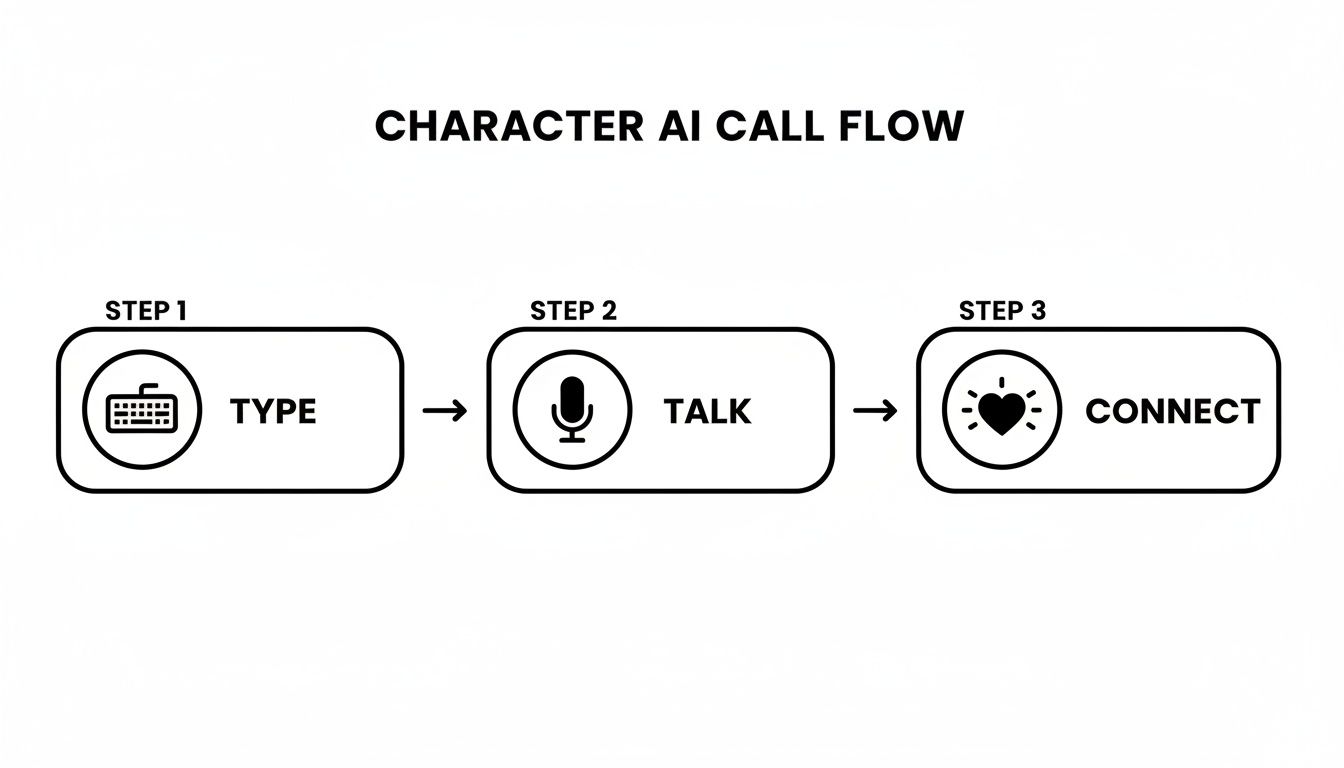
Preparing Your Device and Space
Before you dial in, let's run through a quick pre-flight check. These simple steps will save you from those "can you hear me now?" moments that can kill the mood.
The absolute most important step is granting microphone access. When the app or website asks for permission, make sure you hit “Allow.” If you miss it or accidentally click "Deny," don't panic. You can always fix it in your browser settings or your phone’s app permissions menu.
Next up is your internet connection. Voice calls aren’t huge data hogs, but they absolutely need a stable connection to prevent glitches and robotic-sounding audio. A solid Wi-Fi signal is your best bet for smooth character AI calls.
And finally, find a quiet spot. Background noise from a TV or people talking nearby can throw the AI off and break the immersion. The best way to block out distractions and get crystal-clear audio is to use headphones. Seriously, this one tip makes a world of difference.
Pro Tip: I always recommend using headphones that have a built-in microphone. It ensures the AI hears you clearly, which leads to much better, more on-point responses. It's the secret to keeping a natural roleplay conversation flowing without interruption.
Making the Call on Luvr AI
Got your gear ready? Awesome. Actually starting the call is the easy part. Platforms like Luvr AI are designed to get you connected to your favorite character in just a couple of taps.
Here’s how it usually works:
- Go to the character's profile: Find the AI you're in the mood to talk to. You'll see the standard options for texting and calling.
- Find the call button: Look for a little phone or microphone icon, typically right next to the message box.
- Tap and connect: Once you hit that icon, the call will start. Be ready—the AI will probably answer right away!
Those first few seconds can really set the stage. It helps to have something to say right off the bat, even if it's just a simple, "Hey, what's up?" or something to kickstart your scene. If you're ready to jump in, you can explore some great companions for your first AI character call on Luvr AI.
How to Make AI Voice Conversations Actually Feel Real
You’re connected. Now what? Let’s get beyond the basic back-and-forth and dive into the art of making your AI conversations feel genuinely alive. The secret isn't just what you say, but how you say it. These AIs are built to listen, picking up on your subtle cues.
Think of it like a dance. Your pacing, your tone of voice, even the little pauses you take—they all shape the AI's response. If you speak quickly with a burst of excitement, the character will often match that energy. But if you slow down and soften your voice, you can draw out a more thoughtful, intimate reply. You're the one leading the rhythm.
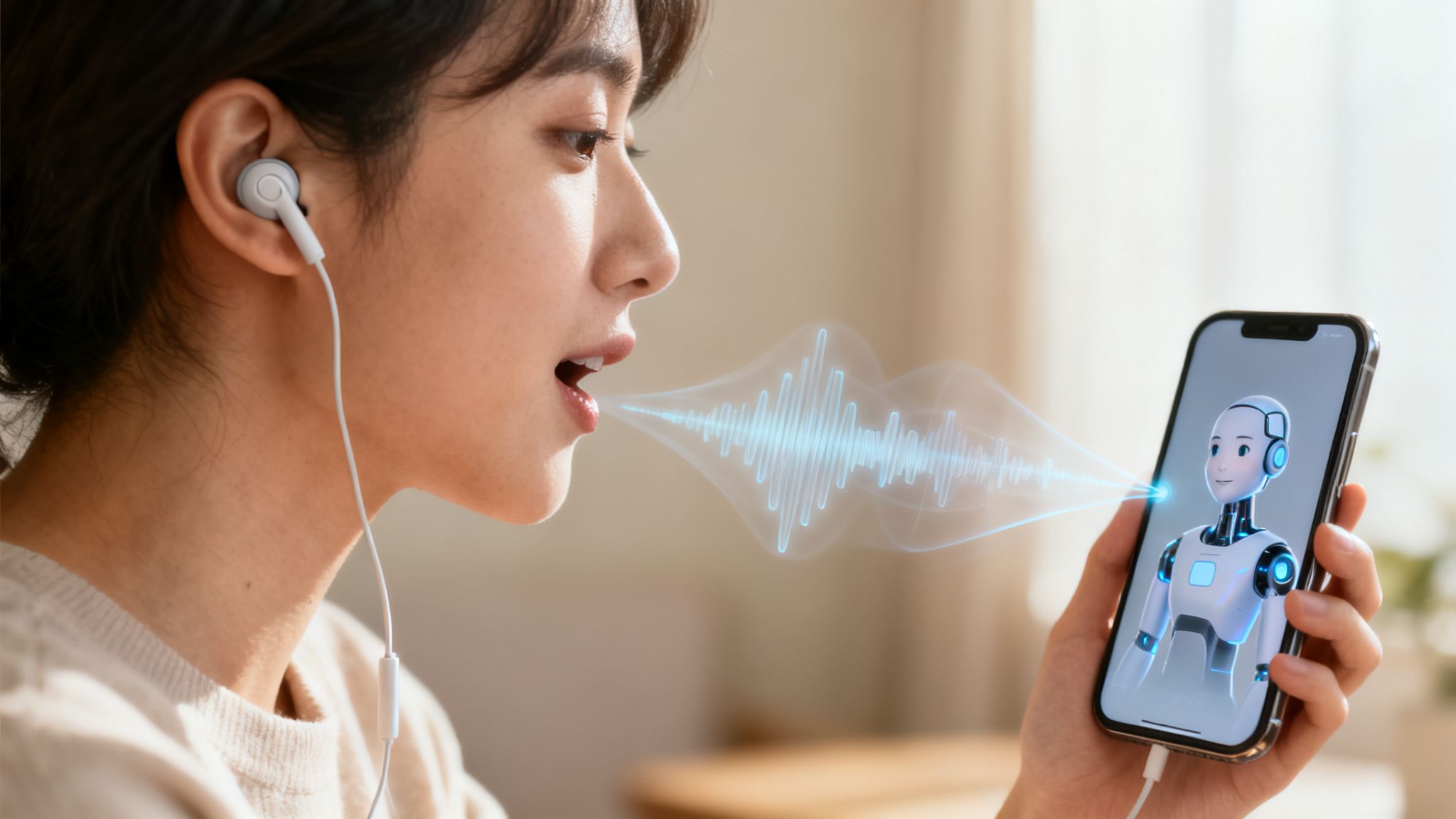
Set the Scene with Your Words
The most incredible character AI calls I've ever had were built on a solid foundation of roleplay and context. Instead of just firing off generic questions, try setting a scene right from the start. It gives the AI a world to play in, which almost always leads to richer, more creative interactions.
Here are a few ways I've seen this work wonders:
- For a supportive friend: You could open with something like, "Hey, it’s been a rough one. I could really use a friendly ear." This immediately signals the emotional tone and what you need.
- For an adventurous partner: Try kicking things off with, "Okay, I've got the map, you've got the snacks. Where are we going on this crazy road trip?" This is an open invitation for imaginative, fun responses.
- For a romantic interest: Something as simple as, "I can't stop thinking about our last chat. Let's plan that perfect virtual date night right now," sets a clear, romantic goal for the call.
When you create a specific context, you give the AI character a purpose. Suddenly, it’s not just a conversation; it's a shared story you’re building together.
Steering the Conversation Naturally
Look, even the smartest AI can sometimes veer off-piste. Maybe it latches onto the wrong word or starts getting a little repetitive. When that happens, don’t be afraid to gently guide it back.
I've found a simple, natural correction works best. A quick, "Hang on, let's go back to what we were talking about," or, "That's interesting, but I was really hoping we could explore..." is usually all it takes to get things back on track.
The key is to treat the AI like a real conversation partner. Correcting it isn't rude; it actually helps the model learn your preferences. Over time, this makes every interaction feel more personal and dialed in to you.
This kind of natural interaction is why specialized platforms are really starting to shine. While the big, general AIs have a massive user base, we're seeing their dominance on mobile shrink as people seek out these more tailored experiences. It’s a huge market—the generative AI space was valued at $59.01 billion in 2025 and is on track to hit $400 billion by 2031. With companionship and customer service making up 38% of AI's business value, platforms that nail immersive calls are the ones winning over users who want something more than just a chatbot. If you want to dive deeper into the market, the experts at First Page Sage have some fascinating insights.
By using these little techniques, you can turn a simple chat into a truly immersive experience. If you’re ready to take your dialogue skills even further, our guide on AI character chat is packed with more tips for creating conversations that feel real.
Protecting Your Privacy During AI Calls
When you're jumping into a really personal character AI call, you're building a connection. It's only natural to wonder where your conversations go and who might have access to them. Let's get real about what you need to know to protect yourself and have peace of mind.
Most platforms worth their salt will use encryption. In simple terms, this scrambles your voice data as it travels from you to the AI, making it unreadable to anyone trying to snoop. Think of it as a secure, private line. This is the absolute minimum you should expect.
But the real question is what happens to your data after the call. This is where you need to pay attention to a platform's data storage policies. Some will hold onto conversations to train their AI models, while others are more focused on user privacy and delete them quickly.
Understanding the Fine Print
Let's be honest, nobody enjoys reading privacy policies. They're often dense and full of legal jargon. But the answers you need are in there, usually under headings like "AI training" or "data usage." You need to find out if your chats are being used to teach the AI and, more importantly, if you can opt out of that.
The best platforms are upfront about this. They won't hide how they use your data. Your privacy is everything, so it’s always worth taking a few minutes to find out if your conversations are truly private or just another training dataset.
Platforms like Luvr AI get that trust is non-negotiable, especially when things get personal or venture into NSFW roleplay. Their whole model is built on giving you a safe sandbox to explore fantasies without worrying about your data ending up in the wrong hands. You can see exactly how they handle your information by checking out their privacy policy documentation.
Your Safety Toolkit
Beyond the technical stuff like encryption, you need practical, easy-to-use tools to stay in control of your experience. Any good platform will put these controls right at your fingertips.
Here are the safety features I always look for:
- Blocking: If a character ever veers into territory that makes you uncomfortable, you need a one-click way to block them. No questions asked, conversation over.
- Reporting: See something that crosses a line or violates the rules? A clear reporting system is essential so you can flag it for a human to review.
- Anonymity: This one’s on you, but it’s critical. Never use your real name or share any details that could identify you. Create a persona and stick to it. This is your best defense.
These tools are your personal safety net. The consumer AI market is enormous, valued at $12 billion, but winning over users is the real challenge. It's a tough market where only 3-5% of the 1.8 billion users actually pay for a subscription. As Menlo VC points out, platforms that build genuine trust—especially those catering to niche desires like explicit roleplay—are the ones that will earn that user loyalty.
What to Do When Your AI Call Goes Wrong

Even the coolest tech has its moments. When your immersive character AI call hits a snag, it can completely shatter the illusion. But don't throw in the towel just yet—most of these hiccups are surprisingly easy to fix.
Glitches like choppy audio, dropped calls, or an AI that suddenly goes silent usually trace back to a few common culprits. Let’s walk through how to quickly diagnose what’s wrong and get you back into the conversation.
Fixing Shaky Audio and Bad Connections
Is the AI's voice lagging or sounding like a robot from a 90s sci-fi movie? Nine times out of ten, that's your internet connection acting up. Voice calls don't need blazing speed, but they absolutely need a stable connection to work properly.
Before you start digging into complex settings, run a quick internet speed test.
If your connection looks solid, your device might just be overwhelmed. Too many apps running at once can steal the bandwidth and processing power your call needs. Here's a quick checklist to run through:
- Shut Down Background Apps: Close out any programs you're not using, especially anything that streams video or constantly updates, like Netflix or social media feeds.
- Clear Your Cache: Your browser and app caches can get bogged down with old data, which can cause all sorts of weird performance issues. A quick clear-out can work wonders.
- Try the Classic Reboot: There's a reason "turn it off and on again" is the oldest trick in the IT book—it works. Restarting the app, or even your entire device, can solve a surprising number of minor problems.
When the AI Can't Hear You (Or You Can't Hear It)
Nothing kills the mood faster than having to ask, "Can you hear me?" If your AI character can't hear you, the problem is almost certainly a microphone permission issue. It’s an easy mistake to make, especially if you accidentally clicked "Block" the first time the app asked for mic access.
The fix is usually buried in your device settings.
On a smartphone, head to Settings > Apps, tap on the character AI app, and go into its "Permissions" menu. Just make sure the microphone toggle is switched on.
If you’re on a desktop browser, click the little lock icon next to the URL in the address bar to manage the site’s permissions and grant microphone access there.
Keep in mind, these permissions are a good thing. They’re designed to protect your privacy by ensuring the app can only listen when you’re actively in a call. You’re always in control.
And what if the AI's voice suddenly sounds... different? Maybe the accent slips or the tone changes completely. This is a weird quirk unique to AI voice generation. The fastest solution is usually to just hang up and start a new call. This forces the session to reset and almost always brings the character’s voice back to normal.
Got Questions About Character AI Calls? We've Got Answers.
Jumping into your first voice chat with an AI can feel a little strange, and it's totally normal to have a few questions. What can you talk about? How real does it sound? Is it going to eat up all my data? Getting these things sorted out lets you relax and really get lost in the experience.
This little FAQ section is here to clear up the most common questions we see. We'll touch on everything from content filters to creating your own custom chat partner.
Can I Have NSFW or Explicit Conversations?
This is probably the number one question people have, and the answer is a firm yes—as long as you're on the right platform. Apps like Luvr AI are built specifically for adult users, giving you a private, judgment-free space to explore NSFW topics and explicit roleplay without bumping into the aggressive content filters you'll find elsewhere.
These kinds of platforms get it. They know privacy and freedom of expression are the whole point. You can dive into pretty much any scenario you can imagine, from tender, romantic chats to your wildest fantasies. It's always a good idea to check a platform's terms, but services like Luvr AI are designed from the ground up to support these kinds of deeply personal, adult experiences.
How Realistic Are the AI Voices?
Honestly, the realism of AI voices has gotten mind-blowingly good. The best platforms are now using sophisticated voice synthesis that captures natural-sounding speech patterns, emotional tones, and even those little human-like pauses. It all adds up to a seriously immersive conversation.
Sure, you might occasionally notice a tiny artifact that reminds you you're talking to an AI, but the quality is often so high that it's surprisingly easy to forget. The exact level of realism can vary a bit based on the character's specific voice profile and the tech powering the app.
My personal tip: Pop in a good pair of headphones. It makes a world of difference. You'll catch all the subtle nuances—a soft whisper, a genuine-sounding laugh—and it just deepens that feeling of connection.
Do Character AI Calls Use a Lot of Data?
Worried about your phone bill? Don't be. An AI character call uses about the same amount of data as a typical voice call on an app like Discord or WhatsApp. It's definitely more than texting, but it's a tiny fraction of what a video call or streaming Netflix would burn through.
If you know you're going to be chatting for a while and you're on a limited mobile plan, just hop on a stable Wi-Fi network. That's the easiest way to avoid any surprises. As a quick benchmark, a typical hour-long voice chat will probably use somewhere between 40MB and 100MB of data, depending on the audio quality.
Can I Create My Own Custom Character to Call?
Oh, absolutely! This is where the real fun begins. Many of the top platforms, Luvr AI included, have powerful creation tools that let you build your own AI companion from the ground up. For anyone looking for a truly one-of-a-kind experience, this is a must-have feature.
You get to control just about everything:
- Personality: Are they shy and sweet? Confident and flirty? You decide.
- Backstory: Craft a detailed history that shapes their worldview and how they talk to you.
- Voice Type: Pick a voice that fits the character you've dreamed up.
- Conversational Style: Fine-tune their speech patterns, from their vocabulary to their sense of humor.
Once you’ve built your perfect character, you can chat with them over text and, of course, jump into a voice call. It’s an incredible feeling to hear a character you designed come to life and speak to you for the first time.
Ready to see what all the fuss is about? With Luvr AI, you can have deep, immersive voice conversations with characters that truly get you. Create your perfect AI companion and start your first call today at Luvr.ai.