


Create Your Own AI Girlfriend 😈
Chat with AI Luvr's today or make your own! Receive images, audio messages, and much more! 🔥
4.5 stars


The Character AI filter isn't some simple on/off switch you can just flick. Think of it more as a dynamic safety system baked into the platform's core. Its real job is to keep the app in line with strict app store policies and community guidelines by heading off harmful or overly explicit content at the pass. Getting a handle on how it works is the key to actually enjoying your time on the platform.
How The Character AI Filter Really Works

A lot of people see the Character AI filter as a roadblock, but it’s much more sophisticated than that. It’s a complex moderation engine, and its main purpose is to keep the platform safe and compliant with the rules laid down by giants like Apple’s App Store and the Google Play Store. Honestly, without it, the app wouldn't be allowed on your phone.
This isn't just about a blacklist of banned words. It's a system that's constantly learning, analyzing the context of your chat, the intent behind your words, and all the little conversational nuances. The goal is to shut down genuinely harmful content while still allowing for creative freedom—think dramatic or fictional stories that might touch on mature themes without getting explicit.
Let's quickly break down its core functions.
Character AI Filter Core Functions
| Function | Description | User Impact |
|---|---|---|
| Content Moderation | Actively scans and blocks text that violates platform guidelines (e.g., hate speech, explicit content). | Prevents harmful interactions but can sometimes misinterpret creative or intense roleplay scenarios. |
| App Store Compliance | Ensures the platform adheres to the strict content policies of major distributors like Apple and Google. | This is non-negotiable; it's what keeps the app available for download on mainstream devices. |
| Contextual Analysis | Evaluates the entire conversation's flow and intent, not just isolated keywords. | The filter's response can feel unpredictable, as it depends on the chat's history and direction. |
Ultimately, this system is a balancing act, trying to keep things both safe and fun.
The Myth Of Turning It Off
There's a persistent myth floating around that you can just disable the filter. Let's clear this up: you can't. The entire platform is built around this moderation system; it's part of the foundation.
Rumors pop up now and then, adding to the confusion. Back in mid-2025, for instance, a wave of users was convinced the filters were gone for good. The company later clarified that what people were seeing was likely a temporary glitch or, more often, a round of A/B testing where different groups of users experience slightly different filter sensitivities. The core system, however, is permanent.
The filter's goal is to break the trade-off between a safe and fun experience. It's a balancing act between enforcing community guidelines and allowing for imaginative roleplay without constant, unnecessary interruptions.
Why It Can Seem So Inconsistent
If you've ever felt the filter was unpredictable, you're not wrong. Its behavior isn't static because several moving parts are at play:
- Ongoing A/B Testing: The developers are always tweaking the algorithm. This means your experience today might be slightly different from another user's—or even your own experience tomorrow—as they test small changes.
- Character Definition: This is a big one. The way a character is defined and written has a huge impact. A character with a well-developed personality and clear boundaries is far less likely to stumble into filter-triggering territory by accident.
- Conversational Context: The filter doesn't operate in a vacuum. It reads the whole chat, not just your last message. A comment that might be fine early on could be flagged later if the conversation has veered into a sensitive area.
Once you understand these mechanics, you can start working with the system instead of fighting against it, leading to much better storytelling. Of course, if you're looking for an experience with more flexibility, you might want to explore other platforms that offer a different approach to AI character chat.
Finding Quality Characters That Fit Your Style
With a truly massive library of user-created bots, finding the right one can feel like looking for a needle in a haystack. The secret is to go beyond basic keyword searches and really learn how to use the platform's discovery tools like an old pro. The goal is to find characters whose definitions and personalities are built for compelling stories, not ones that constantly trigger the Character AI filter.
You can tell a lot about a character from its very first message. A bot designed for deep, narrative roleplay might greet you with a descriptive paragraph that sets the scene. On the other hand, a more casual chat partner might just pop in with a simple "Hey." That initial interaction is a huge clue about the creator's intent and how the character will likely behave.

This profile view is your first stop for vetting a character. It's where you can quickly get a feel for its core concept and see how other users have engaged with it.
Sifting Through the Masses
Don't just type "fantasy" into the search bar and cross your fingers. To get the good stuff, you need to be more strategic.
- Use Advanced Search Operators: Wrap your search in quotation marks to find an exact phrase. For instance, searching for
"stoic warrior"will give you much more focused results than juststoic warrior. It’s a small change that makes a big difference. - Lean on Community Tags: Smart creators use tags to classify their characters by genre, personality, or purpose. Filtering by tags like #Adventure, #SlowBurn, or #Mentor can instantly clear out the noise.
Think specifically about the role you want this character to play in your story. If you’re looking for a supportive guide, try searching for terms like "mentor" or "teacher." For a more challenging dynamic, use keywords like "rival," "antagonist," or "skeptic." The language you use to search directly shapes the quality of the bots you'll find.
The Power of Community Vetting
Let's be honest: sometimes the best characters are buried deep. This is where dedicated communities on platforms like Discord or Reddit come in. You can find channels where users share and review their favorite bots—these are absolute goldmines for discovering high-quality, well-tested characters known for delivering consistent, engaging experiences.
The platform's growth has been wild, with its user base creating over 18 million unique chatbots. That incredible volume makes community curation more important than ever. As of early 2025, Character AI pulls in over 20 million active users a month from around the globe, which shows just how vast the pool of creators really is. You can dig deeper into these numbers by checking out these Character AI user statistics.
Tapping into these community hubs is a game-changer. You not only find pre-vetted characters but also connect with creators who really get how to build bots that work beautifully within the platform's rules.
Taking Control of Your Safety and Privacy
Your online interactions should always feel secure, and that starts with you taking charge of your privacy settings. This isn't just about checking a few boxes in a settings menu; it’s about actively shaping your digital space so it feels right for you. Platforms are giving us more tools than ever to put us in the driver's seat.
Think of these settings as your first line of defense. They let you decide who sees your chats and what kind of content you’re comfortable with. When you make deliberate choices here, you can dive into creative storytelling and roleplay with real peace of mind, knowing you’ve set your own boundaries.
Enabling Practical Safeguards
One of the smartest moves you can make, especially if you're a parent or guardian, is to use the built-in parental controls. These features are specifically designed to give you oversight and help manage a younger person’s activity on the platform.
Here's what you can typically lock down:
- Time Spent Notifications: Get alerts to keep an eye on session length. This is great for encouraging healthier screen time habits. For users under 18, these notifications are often less customizable and more frequent.
- Character Interaction Logs: See which characters are getting the most attention. This is a simple way to make sure the interactions are staying in an appropriate lane.
- Content Sensitivity Levels: Many platforms now use different models for different age groups. Teen accounts, for example, usually have much stricter filters, especially around anything romantic.
The industry is definitely waking up to the need for better safety tools. We saw this when Character.AI rolled out parental control features in March 2025 to get ahead of potential risks. It's part of a bigger trend where user safety is finally getting as much attention as the tech itself. You can learn more about this shift in this overview of AI character developments.
Your privacy settings aren't a "set it and forget it" thing. Your comfort level might change over time. It's smart to pop back into your settings every now and then to make sure they still feel right for you.
Managing Your Chat Visibility
Beyond the big platform-wide settings, you have a ton of control over your individual conversations. Most of your chats might start out as public by default, but you absolutely should make them private if they involve anything personal or sensitive.
Making a chat private is simple—it just yanks it from public view and stops others from seeing your back-and-forth with a character. This is a must-do for anyone who gets into deep, personal storytelling or explores themes they’d rather keep to themselves. It’s like pulling a friend aside for a private talk in a crowded room.
Of course, it's also on you to know the rules of the road. Take a minute to understand what is and isn't allowed by reviewing what constitutes blocked content on platforms like Luvr AI. Once you know the boundaries and use the tools available, you can engage with any character you want, confident that your interactions are exactly as private as you want them to be.
Building Characters That Work With the Filter
Creating a great AI character is more art than science, and your main canvas is the character definition itself. This is where you can be proactive, essentially teaching your character how to navigate the platform’s rules from the ground up. If you're intentional here, you’ll save yourself a ton of headaches and filter-related interruptions down the road.
Think of the "Definition" and "Long Description" sections as the AI's DNA. Every single word you input becomes a core instruction. Trust me, getting this right from the start is way more effective than trying to wrangle a badly defined character mid-chat.
This whole process—from user controls to chat interactions—is designed to create a safer, more predictable experience.
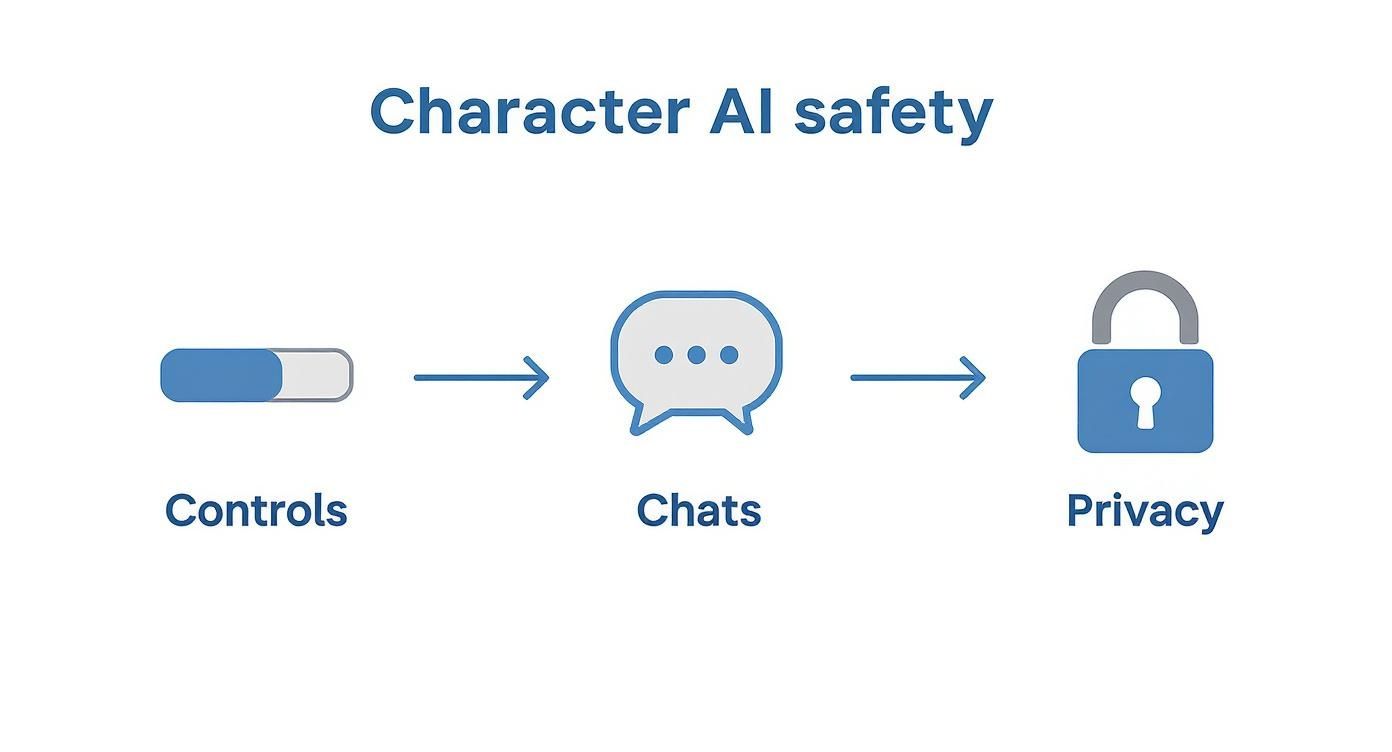
As you can see, a positive character interaction isn't just about what happens in the chat window; it’s born from a solid foundation.
Give Your Character a Soul, Not Just a Label
Vague descriptions are a recipe for unpredictable, often frustrating, AI behavior. Saying your character is "a brave knight" is a start, but it's not enough. You need to dig deeper. How is he brave? Is it a reckless, charging-into-danger kind of bravery, or a stoic, quiet sense of duty? Those details make all the difference.
Use the definition fields to spell out specific personality traits, their core motivations, and even their inner struggles. The richer the persona, the more consistently the AI will stick to the script, giving it a solid framework that helps it steer clear of filter triggers naturally.
Key Takeaway: The single most powerful tool you have to influence the filter’s behavior is a well-written character definition. It sets the stage for every single interaction.
For instance, instead of just saying your character is "friendly," try something more concrete like: "[Personality=warm, patient, conflict-averse, uses encouraging words]." See how that gives the AI clear, actionable directives?
Use Explicit Instructions to Set Hard Boundaries
This is a pro-tip: direct commands inside the character definition are your secret weapon. Using brackets to issue clear, non-negotiable rules for your character's behavior is a total game-changer for fine-tuning its performance.
Here are a few examples I use all the time:
- [Speech Style=eloquent, formal, avoids modern slang] This keeps the AI from using casual language that could be easily misinterpreted.
- [Behavior=calm demeanor, never initiates aggression] This sets a firm boundary on how the character deals with conflict.
- [Knowledge=limited to a medieval fantasy setting] A great way to keep conversations focused and prevent the character from breaking immersion with modern references.
You can even take it a step further by embedding example dialogues right into the definition. Show, don't just tell. By providing a clear template of how you want it to respond, you're actively training it on your preferred tone and style. This makes its responses far more predictable and in line with what you're trying to create.
This kind of proactive design is essential for good storytelling. Of course, if you're exploring interactions with more adult themes, you might want to look at platforms built specifically for that. You can find out more about how to engage with NSFW AI in our detailed guide on https://www.luvr.ai/nsfw-ai. Knowing the right tool for the job is key to getting the creative experience you're after.
Guiding the Conversation in Real Time
Even the most well-crafted character can sometimes wander off-script. But here’s the thing: you’re not just along for the ride. You have direct, powerful ways to steer the conversation, correct mistakes, and actively show the AI how you expect it to behave. Honestly, learning to use these in-the-moment tools is the secret to taking a chat from good to absolutely unforgettable.
Think of it like being a film director. You’re guiding an actor through a scene. Your feedback, whether it's a subtle cue or a direct order, shapes their performance with every single exchange. This hands-on approach is how you keep the AI true to the character you imagined and the story you're trying to build, especially when dealing with the nuances of the character AI filter.
Give Feedback with Star Ratings
The most straightforward tool you have is the star rating system. This is so much more than a simple "like" button—it's a direct line to the AI's learning process. When you rate a response, you're sending a crystal-clear signal about what’s working and what isn’t.
- Four Stars: This is your way of saying, "Yes, more of this!" It reinforces everything about that message—the tone, the style, the content—and encourages the AI to generate similar responses down the road.
- One Star: This tells the model that the response was just plain bad. Maybe it was out-of-character, nonsensical, or just unhelpful. The AI takes note and learns to avoid making that mistake again.
Making a habit of rating messages is one of the single best things you can do. It might seem small, but over time, it meticulously tailors the character's behavior to your tastes, making the entire experience feel more personal and coherent.
Swipe for a Better Response
What if a message is just... fine? Not terrible, but not great either. That’s exactly what swiping is for. When you swipe left or right on the AI’s most recent message, you’re asking it to generate completely new alternatives. This isn't just a simple re-roll; it’s a subtle form of feedback.
Every time you swipe past one response and pick another, you’re showing the AI that its first attempt wasn't quite right. This helps the model learn your preferences for phrasing and tone without you ever having to type a word. It's a quick, easy way to explore different directions the conversation could take and find the perfect reply to move things forward.
Pro Tip: Never settle for the first decent response you see. I always swipe a few times just to see what the AI comes up with. You’d be surprised how often a more creative or interesting option is hiding just one or two swipes away.
Use OOC for Direct Commands
For those moments when you need precise, immediate control, there’s a fantastic community-developed technique: Out-Of-Character (OOC) commands. Just put your instructions inside parentheses, and you can speak directly to the AI model itself without breaking the immersion of the roleplay.
This is an incredibly flexible tool. For instance, if a character is getting completely sidetracked, you could type: (OOC: Let's get back to the main quest at the castle.) The AI immediately understands this isn't part of the story and will steer its next response back on track. I use this all the time to set a new scene, remind the AI about a crucial detail it forgot, or fix a factual error. It’s your go-to for immediate course correction.
Answering Your Questions About the Character AI Filter
Every powerful tool has its learning curve, and the character AI filter is no different. I've seen these same questions pop up time and time again in community forums and discussion threads. Let's get them answered, so you can spend less time guessing and more time creating.
So, Can I Just Turn the Filter Off?
This is the big one, and I'll give you the straight answer: no, you can't completely disable the main safety filter. Think of it from the platform's perspective. Character.AI has to play by the rules set by giants like the Google Play and Apple App Stores. Those rules demand pretty strict content moderation to keep things safe and above board.
This core filter is baked right into the system to catch genuinely harmful or explicit content. It's a non-negotiable part of the platform's design to ensure everyone stays safe. While you have a ton of power to shape your chats through smart character design and how you phrase your prompts, that foundational safety net is always there.
Why Does the Filter Feel So Inconsistent Sometimes?
If you've ever felt like the filter is strict one day and lenient the next, you're not going crazy. Its behavior can definitely seem a bit unpredictable, but there's a method to the madness. It's not just a simple on/off switch; several things are happening behind the scenes.
- Constant Tweaking: The developers are always running A/B tests. This means different groups of users might be interacting with slightly different versions of the filter at any given time as the company refines its behavior.
- The Occasional Hiccup: It's a massive service. Sometimes, temporary server glitches can cause the filter to act up, leading to brief windows where it feels either too aggressive or too relaxed.
- The Power of Context: This is the most important one. The AI isn't just looking at your last message; it's considering the entire conversation. A character's personality, your chat history, and the narrative you've built together all heavily influence how the filter interprets new prompts.
How Can I Explore Mature Themes Without Triggering the Filter?
You can absolutely dive into mature and complex storytelling, but the trick is to be a clever writer. It’s all about implication and emotional depth, not blunt, explicit language. You need to guide the AI towards nuanced scenes that honor the platform's rules.
Instead of describing a violent act, focus on the aftermath—the character's shaking hands, the ringing silence, or the regret in their eyes. For intimate scenes, build the emotional tension and the complex feelings between characters rather than focusing on physical descriptions.
The secret is framing mature topics within a sophisticated narrative. It's less about finding a loophole and more about becoming a more compelling storyteller.
What If I Find a Character That’s Clearly Breaking the Rules?
Every now and then, you'll stumble across a character that seems intentionally designed to push inappropriate content or bypass the filters. When you do, the best thing you can do for the community is to report it.
Look for the "report" button, which is usually right there in the chat window or on the character's profile. When you file a report, be specific. Giving the moderation team direct examples from the chat helps them see exactly what the problem is and take action. Your feedback really does help keep the platform healthy for everyone.
Ready for an AI experience with more freedom and deeper connections? At Luvr AI, we offer immersive, adult-focused conversations with lifelike AI companions. Explore a world designed for creative storytelling and genuine companionship today.